

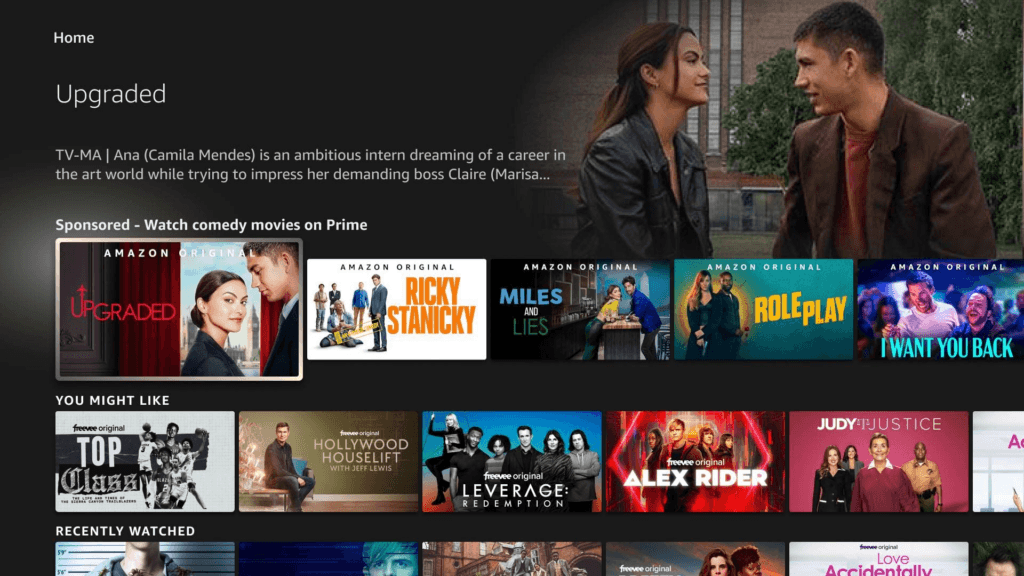
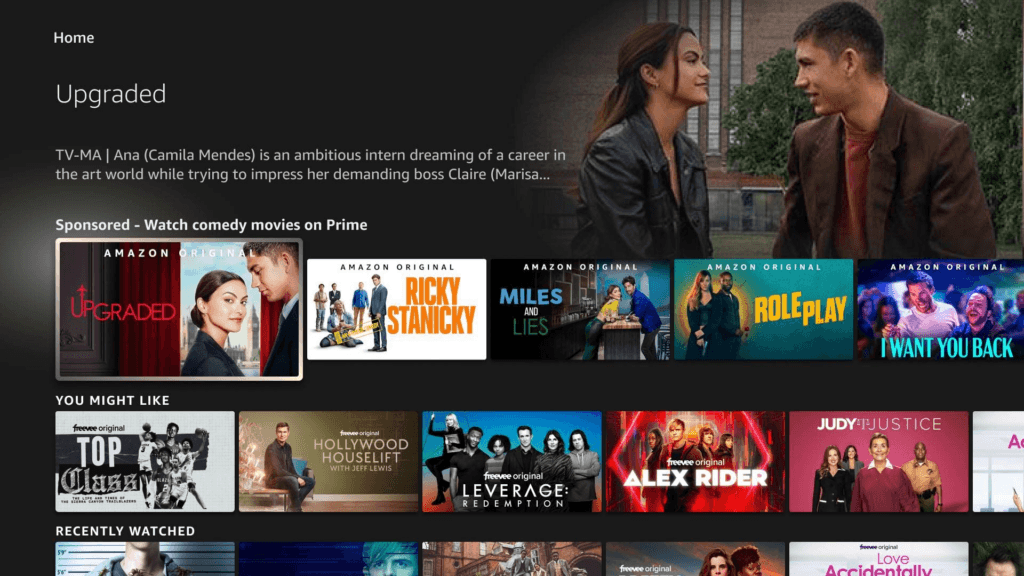
This guide covers the best launcher for Firestick, with Projectivy Launcher as the top pick, plus how to install it, how to set it as the default and how to fix it when it stops working. A launcher replaces Amazon’s home screen with a clean grid of your own apps, so the sponsored rows, auto-playing trailers and ads stay out of sight.
Amazon makes the second half harder than the first. Installing a launcher takes a few minutes with the Downloader app, but on current Fire OS the Home button still sends you back to Amazon’s home screen unless you add a small helper app or turn on an accessibility service.
Everything here applies to Fire TV sticks and Cubes that still run Fire OS. The newest sticks run Vega OS and can’t sideload apps, so check your device in the compatibility section before you start.
Which Is the Best Launcher for Firestick? Quick Answer
Projectivy Launcher is the best launcher for Firestick for most people. The core launcher is free, it has no ads, it is the most customizable launcher on this list, and its developer is still shipping updates (version 4.72 is the current release). It is also the launcher people search for most, by a wide margin.
- Best overall: Projectivy Launcher. Free, with an optional one-time Premium upgrade for custom wallpapers and icons.
- Best free and simple: ChillHub. Free, no ads or tracking, and its developer lists Fire TV as a supported sideload.
- Best paid alternative: ATV Launcher Pro. A one-time purchase of about $3, but it is sold through Google Play, which Fire TV doesn’t have.
- Best open source: FLauncher. Free and ad-free, but the code hasn’t changed since early 2023.
- Best known, but aging: Wolf Launcher. Built for Fire TV and still widely used, with no recent release I can find.
- The helper you will probably need: Home on Fire, a free app that makes the Home button open your launcher.
Whichever launcher you pick, plan on one extra step. Fire OS doesn’t let a sideloaded launcher take over the Home button on its own, so the Home button section below walks through the options.
Is It Worth Putting Launcher on Firestick? What You Gain and What You Do Not
For most people, yes, if Amazon’s home screen bothers you. A launcher is a normal app, so it is easy to remove if you change your mind.
What you gain:
- No sponsored rows or auto-playing trailers while your launcher is the screen you see.
- Rows and categories you control, and the ability to hide apps you never open.
- Wallpapers, icon packs and card layouts, depending on the launcher.
- Fewer clicks to the handful of apps you actually use.
What you do not gain:
- Amazon’s launcher stays installed and keeps running in the background. Removing it needs root, and none of the methods in this guide use root.
- A guaranteed speed boost. Some people with older sticks say the interface feels quicker after the swap, but I’m not going to give you a number I haven’t measured.
- A Home button that works by itself. That needs a helper or an accessibility service, and Amazon updates can undo the setup.
- Perfect behavior in every app. One user reported in the Projectivy issue tracker that Prime Video stopped auto-hiding its playback controls while Projectivy’s accessibility service was on (Fire TV Stick 4K Max, Fire OS 8). That is one report, but it is a real side effect of leaving an accessibility service running.
How to Remove Ads From Firestick Home Screen With a Launcher
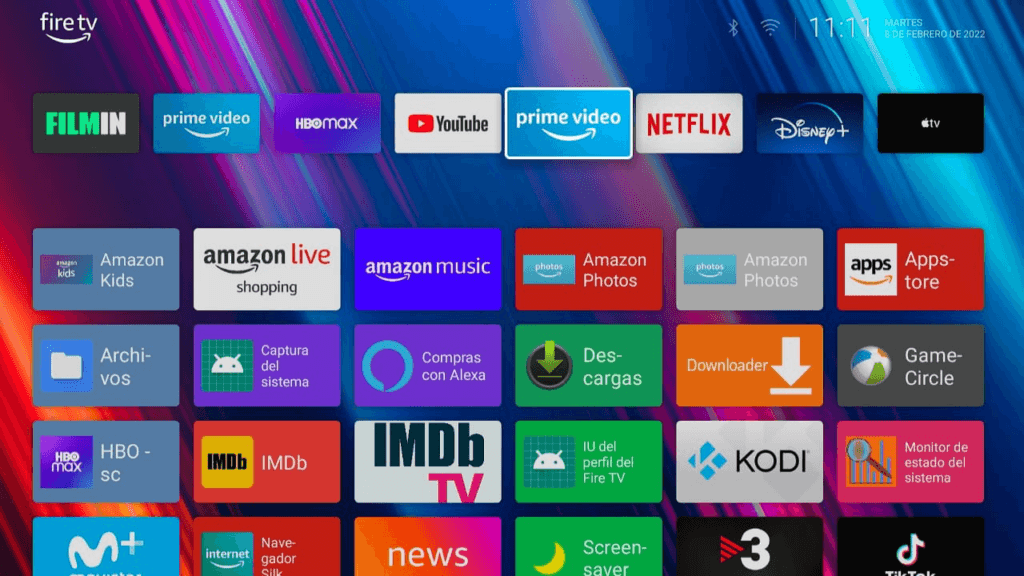
The ads and sponsored rows live in Amazon’s own launcher. A custom launcher doesn’t block them. It replaces the screen you look at, so you only see them if you go back to Amazon’s home. With Projectivy or ChillHub as your Home screen you get a plain list of your apps, and the ads are gone for as long as Home keeps opening the launcher.
If you hold Home to jump back to Amazon, the ads are back too. If all you want is a tidier Amazon home screen without installing anything, skip to the section on changing the stock layout.
Firestick Custom Launcher Compatibility: Fire OS 6, 7, 8 and Vega OS
A launcher is a sideloaded app, so it only works on devices that still allow sideloading. What changes by Fire OS version is what happens when you press Home.
| Fire TV device | Fire OS and Android version | Install a launcher? | Home button redirect |
|---|---|---|---|
| Fire TV Stick 4K Max (2nd gen, 2023), Fire TV Stick 4K (2nd gen, 2023), Fire TV Stick 4K Plus (2025) | Fire OS 8, Android 11 | Yes, with Downloader | Works with Home on Fire. Expect a brief flash of Amazon’s home screen on each press. |
| Fire TV Cube (3rd gen, 2022), Fire TV Stick 4K Max (1st gen, 2021), Fire TV Stick (3rd gen, 2020), Fire TV Stick Lite (2020), Fire TV Cube (2nd gen, 2019) | Fire OS 7, Android 9 | Yes, with Downloader | Works with Home on Fire, but Android holds the launch for up to about 5 seconds. The app covers the wait with a loading animation. |
| Fire TV Stick 4K (1st gen, 2018), Fire TV Cube (1st gen, 2018) | Fire OS 6, Android 7.1 | Yes, with Downloader | Home on Fire does not support Fire OS 6. Launcher Manager Mini v2 is the build its developer lists for Fire OS 6. |
| Fire TV Stick 4K (3rd gen, 2026), Fire TV Stick HD (2026), Fire TV Stick 4K Select (2025) | Vega OS | No. Vega OS can’t sideload apps. | Not applicable |
Not sure which one you own? Open Settings, My Fire TV, About and check the model and software version. Sources disagree about the 2026 Fire TV Stick HD, so trust the About screen over any list, including this one.
Our Vega OS explainer covers which sticks still sideload, and if you are shopping for hardware that can run a launcher, see the Android TV box buying guide.
Best Launcher for Firestick Compared: Price, Features and Fire OS Support
This table covers the five launchers I rank below. The prices are the ones the developers publish. Fire TV status is what each developer or project actually states, not what a download site claims.
| Launcher | Price | Fire TV status | Maintenance | Best for | Where to get it |
|---|---|---|---|---|---|
| Projectivy Launcher | Free. Premium is up to $7.49 on Google Play, or a 6.99 EUR lifetime license from the developer. | Works when sideloaded. Fire OS setup is documented by users in the developer’s issue tracker. | Updated regularly (4.72 is current) | Most people | GitHub APK (Firestick) Google Play (Google TV and Android TV) |
| ChillHub | Free. No ads, no in-app purchases. | Its README lists Amazon Fire TV via sideloading. | Updated regularly (1.5.0 is current) | A simple free grid | GitHub APK (Firestick) Google Play (Google TV and Android TV) |
| ATV Launcher Pro | About $3 one-time (varies by region). A free version exists. | The developer describes it for Android TV. Fire TV is not stated. | Updated recently (0.1.40 is current) | Google TV and Android TV boxes | Google Play (no Fire TV listing) |
| FLauncher | Free, open source. | Its README says it has only been tested on Chromecast with Google TV. | No code changes since March 2023 | Tinkerers on Android TV | Google Play GitLab (source) |
| Wolf Launcher | Free | Made for Fire TV, but I couldn’t confirm Fire OS 8 behavior. | No recent release found | Older setups already using it | Developer’s XDA thread (no store listing) |
Projectivy Launcher (Best Overall Firestick Launcher)
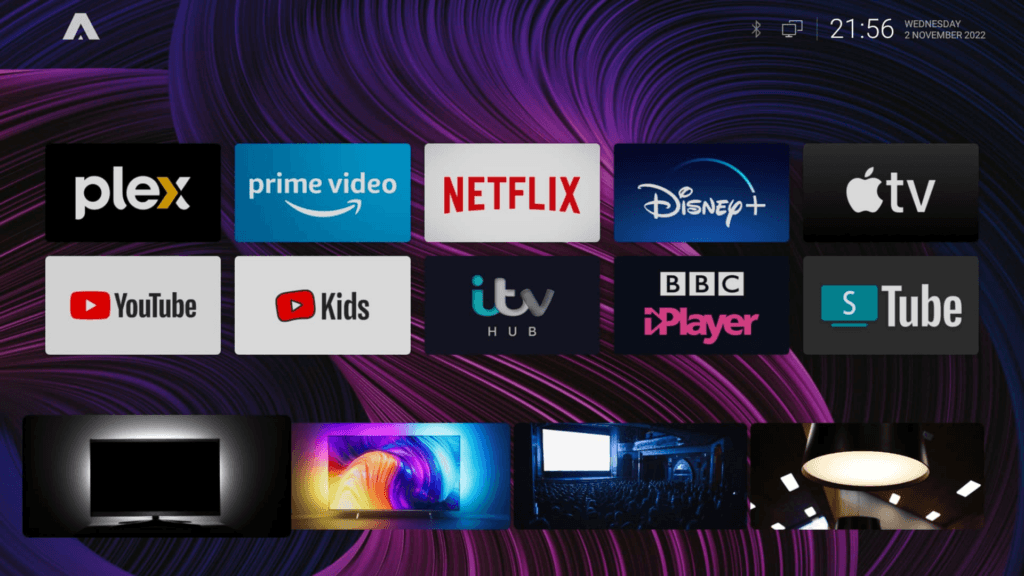
Projectivy Launcher is a free launcher built for Android TV that also runs on Fire TV when you sideload it. It replaces the home screen with rows you control: your apps, your own categories, and channels such as Watch Next. It has no ads, supports animated wallpapers and icon packs, and lets you rearrange or hide almost anything.
It earns the top spot because it combines the most customization with an active developer. Google Play lists more than a million installs, and the changelog shows regular releases. The catch on Fire TV is the Home button, which I cover in the default launcher section.
How Much Is Projectivy Premium?
The launcher is free to download and use, with its core features included. Premium is a one-time purchase with no subscription, and the developer says it unlocks:
- Custom wallpapers (pictures, animated GIFs, videos and RTSP camera streams)
- Card icon customization (your own images or icon packs)
- Advanced font customization
- Parental controls
The in-app price on Google Play in the US goes up to $7.49. If you buy outside Google Play, the developer sells a lifetime license for 6.99 EUR that works on up to five installations. Prices vary by region, so confirm the number in the app or at checkout.
How much is Projectivy Premium worth? If you only want a clean launcher with your apps in categories, you don’t need it. If you want a video wallpaper or custom icons, you do.
How to Buy Projectivy Premium on Firestick Without Google Play
Fire TV doesn’t have Google Play, and the developer’s in-app purchase relies on Google Play services. For a Firestick, the route to use is the lifetime license from the developer’s site at projectivylauncher.com. You pay by card or PayPal, and you get a license key to activate inside the app (look under Settings, About, Getting Premium).
Two details are worth knowing before you buy:
- One license works on up to five installations at the same time.
- An activation is tied to the Projectivy installation, not the device. Clearing the app’s data or factory resetting the stick creates a new installation and does not release the old activation. Before you reset, open Settings, About, Getting Premium, Manage License Key and choose “Deactivate on this device”. If you forget, you can release it later from the order page linked in your purchase email, and the activation becomes available again right away.
Does Projectivy Launcher Work on Firestick? Fire OS 6, 7 and 8
Yes, with a caveat about what “work” means. Projectivy installs and runs as a normal app on Fire OS. Making it the screen you see when you press Home is the hard part, and it works differently by version:
- Fire OS 8: Projectivy has its own “Override current launcher” setting (Settings, General) that depends on its accessibility service. On some Fire OS 8 builds there is no on-screen toggle for that service, so users turn it on over ADB. You can also leave Projectivy alone and use Home on Fire to do the redirect.
- Fire OS 7: Home on Fire works, with a short delay that it hides behind a loading animation.
- Fire OS 6: Home on Fire does not support it. Launcher Manager Mini v2 is the build its developer lists for Fire OS 6.
The Fire TV steps in this guide come from the project’s issue tracker and from the Home on Fire project, not from a Fire TV page by the developer. The same setup applies to a Fire TV Cube, and to a Fire TV Stick 4K Max, since both run the same Fire OS versions as the sticks in the table.
Is Projectivy Launcher Safe? Does Projectivy Launcher Have Ads?
Projectivy has no ads. Whether it is safe depends mostly on where you get it. Download the APK only from the developer’s GitHub releases page (or from Google Play on devices that have it), never from a mirror site. If you want to check a file, run it through VirusTotal before installing.
Look at the permissions before you install. To take over the Home button it needs an accessibility service, which is a broad permission that lets an app see key presses and what is on screen.
On Fire OS 8 it may also ask for the “display over other apps” permission and a battery optimization exception. The developer’s original forum post says the only data that leaves the device is anonymous usage analytics. Grant these permissions only to apps you trust, and remove the launcher if you stop using it.
Projectivy Launcher Pros
- Free core launcher with no ads
- The most customization of any launcher here: categories, hiding apps, layouts, icon packs and wallpapers
- Active development with frequent releases
- A lifetime Premium license that works outside Google Play
- Plugin support for wallpaper sources
Projectivy Launcher Cons
- Custom wallpapers and icon customization need Premium
- Taking over the Home button on Fire OS needs an accessibility service or a helper app
- The accessibility service can change how some apps behave, such as Prime Video’s playback controls
- More settings than a beginner needs, so the first setup takes some time
ChillHub (Best Free and Simple Firestick Launcher)
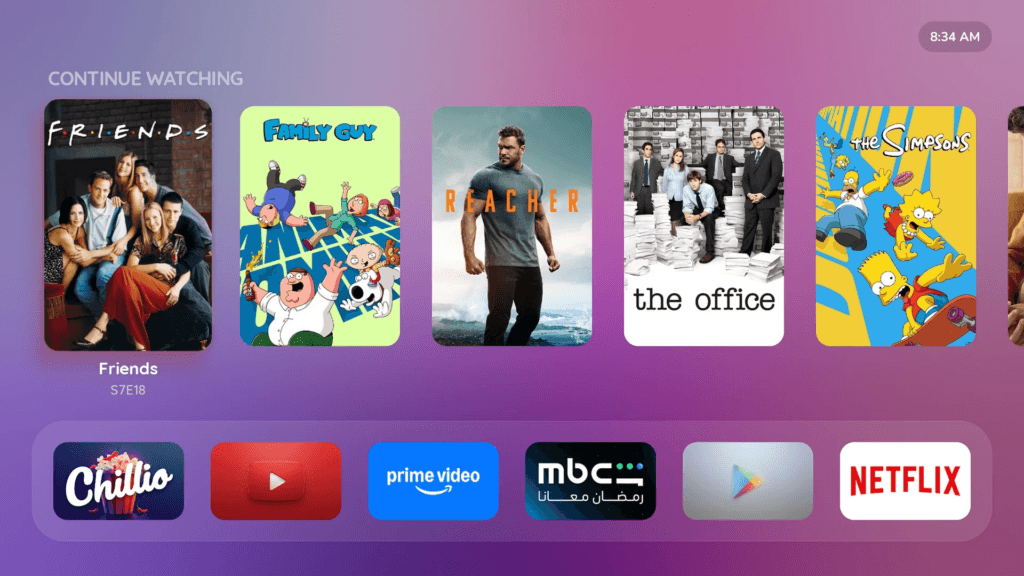
ChillHub is a free launcher with a clean six-column app grid, a dock row for six pinned apps, a Continue Watching shelf, 11 background themes and an adjustable blur. The six-app dock means the apps you open every day stay one move away from the grid. Its developer says it is free forever with no ads, no in-app purchases, no subscriptions and no tracking.
ChillHub is the one I would try first if Projectivy feels like too much. It is also much newer than Projectivy, so it has fewer options.
ChillHub Download and Downloader Code
Get the APK from the developer’s GitHub releases page. The README also lists Downloader code 3908449, which resolves to the developer’s own download page at hub.chillio.app. Check any code the way I show in the install section before you type it.
ChillHub as the Default Launcher on Firestick
ChillHub’s built-in “set as default” tool is written for Google TV, where it turns off the stock home screen over USB debugging. On a Firestick the Home button works like it does for every other launcher: you need a helper such as Home on Fire, and you point it at ChillHub as the target app.
ChillHub Pros
- Free with no ads, purchases or tracking
- Simple and quick to set up
- Lists Fire TV as a supported device
- Can use Projectivy wallpaper plugins as a background
ChillHub Cons
- Newer and less customizable than Projectivy
- The default-home tool is documented for Google TV, not Fire TV
- Fewer users, so fewer Fire TV tips to search for
ATV Launcher Pro (Best Paid Alternative Firestick Launcher)
ATV Launcher Pro is a paid launcher for Android TV from a Canadian developer, DStudio. Version 0.1.40 added a layout editor with 12 row styles, from a dock-style row to movie posters and carousels, plus a digital clock widget. If you have a Google TV or Android TV box, it is a capable alternative to Projectivy.
On a Firestick it is awkward. The developer describes it for Android TV and doesn’t state Fire TV support, and the paid version is sold through Google Play, which Fire TV doesn’t have.
Try the free version first if you want to test it on a stick.
ATV Launcher Pro vs Projectivy
Projectivy is free, has a one-time optional upgrade and focuses on categories, wallpapers and icons. ATV Launcher Pro costs about $3 once and focuses on layouts, with a visual layout editor. On Fire TV, Projectivy is the safer choice because its Fire OS setup is documented and ATV Launcher Pro’s isn’t.
ATV Launcher Free vs Pro
The free version lets you test the launcher before paying. That matters because the developer says widgets work on about 90 percent of devices, and the rest are mostly Chinese TV boxes and a few Android TV devices with customized software.
ATV Launcher Pro Price
It is a one-time purchase of about $3, or around 3.19 EUR in Europe, with a perpetual license. Prices vary by region.
ATV Launcher Pro Pros
- One-time purchase, no subscription
- Layout editor with many row styles
- Actively updated
- Free version to test first
ATV Launcher Pro Cons
- Fire TV support isn’t stated by the developer
- The paid version needs Google Play
- Widgets don’t work on every device
4. FLauncher (Best Open Source Option)
FLauncher is an open-source launcher for Android TV built with Flutter. It has no ads, customizable categories, manual app ordering, wallpaper support, a row or grid layout, and support for sideloaded apps that the stock home screen hides. You can read and build the code yourself, which is the reason to pick it.
The reason not to pick it is age. The project is still in an early stage, may be unstable and has only been tested on Chromecast with Google TV.
FLauncher Android TV: Does It Work on Firestick?
The developer doesn’t claim Fire TV support. Its README suggests two ways to set it as the default, remapping the Home button with a button-mapping app or disabling the stock launcher with ADB commands, and the second set was tested only on Chromecast with Google TV.
Those commands name Google TV packages, so don’t run them on a Fire TV. On a Firestick, the safe way to try FLauncher is the same Home button helper approach used for the other launchers.
ATV Launcher vs FLauncher
ATV Launcher Pro is maintained and has more layout options, but it costs money. FLauncher is free and open source but hasn’t changed in years. If you want something free and maintained on Fire TV, ChillHub or Projectivy are the better bets.
FLauncher Pros
- Free, ad-free and open source
- Categories, wallpaper and row or grid layouts
- Shows sideloaded apps
FLauncher Cons
- No code changes since March 2023
- Tested only on Chromecast with Google TV
- Default-launcher steps in the README don’t apply to Fire TV
5. Wolf Launcher (Best Known, but Aging)
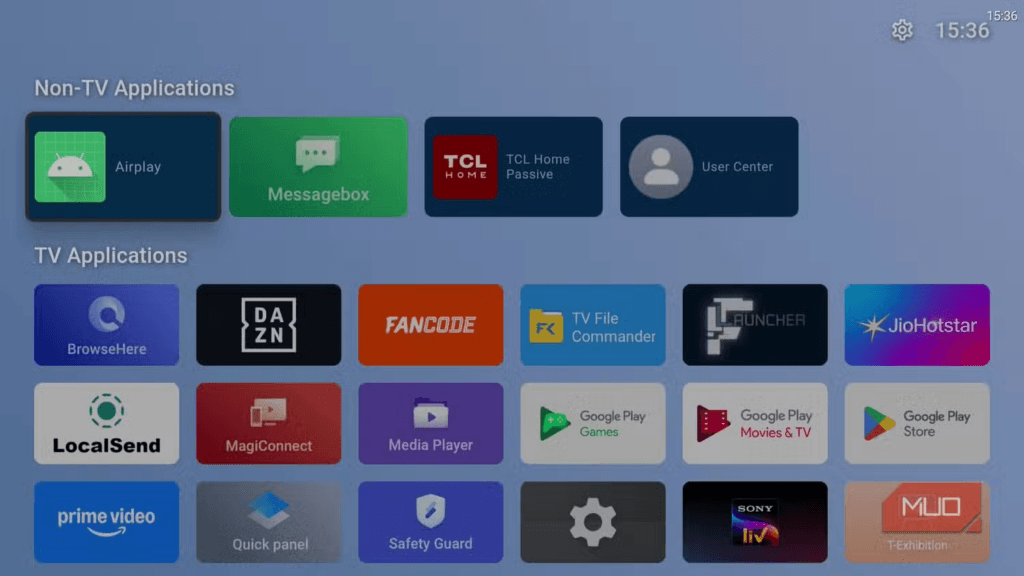
Wolf Launcher was built for Fire TV and was the launcher most Firestick guides recommended for years. It shows your apps in a clean layout without Amazon’s ads, and guides usually pair it with Launcher Manager (or Launcher Manager Mini v2 on Fire OS 6 and 7) to make it the Home screen.
The versions that appear in guides are 0.1.7 to 0.1.9, and I couldn’t find a dated 2026 release or a developer page that says it supports current Fire OS 8 builds. I am listing it because so many people already have it installed, not because I would start with it today.
Wolf Launcher Fire OS 8: Does It Still Work?
It still gets used. Recent posts in the Launcher Manager developer’s forum thread show people pairing Launcher Manager Mini v2 with Wolf Launcher on Fire OS 6 sticks. On newer Fire OS 7 and Fire OS 8 firmware, the developer says the Launcher Manager builds that made Wolf your Home screen no longer work. I couldn’t confirm that Wolf works as a Home on Fire target on Fire OS 8, so if you want to test it, use the Home on Fire method from the default launcher section and treat the result as your own test, not a promise.
Wolf Launcher Not Working: What to Check
- Confirm the app opens from Your Apps and Channels. If it doesn’t open at all, the build is probably too old for your Fire OS version.
- If it opens but Home still goes to Amazon, the problem is the Home button helper, not the launcher. Check that the helper’s accessibility service is still on.
- If you used Launcher Manager on Fire OS 7 or 8, check your build number. The system-user build stops working on newer firmware, so switch to Home on Fire. On Fire OS 6, use Launcher Manager Mini v2.
- If none of that helps, move to Projectivy or ChillHub, which are still being updated.
ATV Launcher vs Wolf Launcher
ATV Launcher Pro is maintained and designed for Android TV. Wolf Launcher was designed for Fire TV but has not visibly kept up. For a Firestick today I would pick neither over Projectivy.
Wolf Launcher Pros
- Free
- Built with Fire TV in mind
- Lots of existing guides
Wolf Launcher Cons
- No recent release that I can find
- Depends on Launcher Manager tools that don’t work on newer Fire OS 7 and 8 firmware
- Fewer customization options than Projectivy
Firestick Launchers I Left Out and Why
Search results suggest a few more names. I checked each one and left them out of the ranking because I couldn’t find evidence that they work on a Firestick.
Emotn UI Launcher APK Download and Safety
Emotn UI is an Android TV launcher. The only listing I found was a download-mirror page for version 1.0.8.9 from March 2022, with no official page and no mention of Fire TV. I wouldn’t install an APK of unknown origin for a launcher that wants accessibility access.
Sideload Launcher for Android TV
Sideload Launcher is a 2014 app from Chainfire that shows sideloaded apps on the first Android TV devices, because their home screen hid anything installed outside the Play Store. It solves a problem Fire TV launchers don’t have, and I found no evidence that it works on Fire TV.
Dispatch Launcher Price and Downloader Code
Dispatch is a Plex-focused launcher for Android TV and Google TV on Google Play. Coverage describes a 14-day free trial, then a lifetime license at $9.99 or a $0.99 monthly option. Nothing I found mentions Fire TV, and I couldn’t find an official Downloader code or APK, so I wouldn’t use a code or file posted by a stranger.
Dispatch Launcher vs Projectivy
Dispatch is built around your Plex library and a poster-style home screen. Projectivy is a general-purpose launcher. If you run Plex on a Google TV box, Dispatch is worth a look. On a Firestick, Projectivy is the one with a documented setup.
Projectivy Launcher Downloader Code for Firestick: 750779 and the Direct GitHub Link
These are the steps I used to run Projectivy on a Firestick. You need a stick that runs Fire OS (not Vega OS), the Downloader app installed, and installs from unknown sources allowed for Downloader. If you haven’t done that yet, follow our Downloader install guide first. It is a one-time step.
The Downloader code is 750779. It points at the developer’s release page, github.com/spocky/miproja1/releases, which is the only place I’d get the APK from. You can also type that address into Downloader instead of the code.
Projectivy Launcher APK Download: Latest Version and File Name
The current release is version 4.72. The file is named ProjectivyLauncher-4.72-c97-xda-release.apk and is about 11 MB. Releases are listed on the developer’s GitHub page. Pick the newest release and use the file ending in .apk. Skip the mirror sites that rank for “projectivy launcher apk”. A launcher with accessibility access is the wrong thing to download from a stranger.
How to Install Projectivy Launcher on Firestick With Downloader
- Open Downloader on your Fire TV.
- In the URL box, type 750779 and select Go. (Or type
github.com/spocky/miproja1/releases.) - On the releases page, scroll to the newest release and choose the
.apkfile under Assets. - When the download finishes, select Install, then Done. Downloader offers to delete the file afterward. Choose Delete to save space.
- Open Projectivy Launcher from Your Apps and Channels. Step through the welcome screens. The notification access and usage reporting prompts are optional, so decline them if you don’t want them.
- At this point Projectivy runs as an app, but the Home button still goes to Amazon. Continue to the default launcher section below.
How to Check a Downloader Code Before You Type It
A Downloader code is only a shortcut, and whoever registered it can point it somewhere else later. You can see where any code leads before you type it. On your phone or computer, open go.aftvnews.com/ followed by the code, for example go.aftvnews.com/750779. The page shows the destination address. For 750779 it is the developer’s GitHub releases page, which is what you want.
Be wary of codes that lead to a file host or a site you don’t recognize. While researching this guide I found other Projectivy codes in circulation that led to a OneDrive link, a personal download page and a third-party toolbox. They may be fine, but the developer’s own GitHub page is the one I can stand behind. The same check works for any code, including the ones in our Nuvio Downloader code guide.
How to Update Projectivy Launcher on Firestick
Download the newer APK the same way and install it over the existing app. Android updates an app in place when the new file is signed with the same key, so your settings stay.
A recent Projectivy update also added the ability to browse and restore automatic backups, which is useful if something looks wrong after an update. If you use a Premium license, an update keeps the same installation, so it stays activated.
Projectivy Launcher Google TV, Nvidia Shield and Onn Setup
On Google TV and Android TV devices, including the Nvidia Shield, Chromecast with Google TV and Onn boxes, you can install Projectivy from Google Play instead. The Home override uses the same “Override current launcher” setting and accessibility service described below. Those devices don’t have Amazon’s extra restrictions, so the setup is simpler.
How to Change Default Launcher on Firestick (Make the Home Button Open It)
On Fire OS you can’t pick a default launcher in Settings. Every method below is a workaround, and each one has trade-offs. I explain them in the order I would try them.
Why Does the Firestick Home Button Go Back to Amazon?
On Fire OS 8 the Home button always returns to Amazon’s launcher. A third-party launcher installs fine but can’t catch the key, because the tools Android normally uses to change the default home app are closed to sideloaded apps, and Amazon’s September 2025 patch shut the last exploits that older workarounds relied on.
You will still find old guides that tell you to run a set-home-activity command. On current builds that command can print “Success” and then quietly revert to Amazon’s launcher after a restart, so don’t rely on it. The methods that work now are redirects. They watch for Amazon’s home screen coming forward and open your launcher on top of it. Amazon’s launcher stays the system home app underneath. That is also why they are easy to undo.
Method 1: Home on Fire (Fire OS 7 and 8)
Home on Fire is a small, free, open-source app that redirects the Home button to a launcher you choose. It has no internet permission and collects no data, according to its README. It works on Fire OS 7 and 8, and it does not support Fire OS 6 or Vega OS.
Expect two quirks. On Fire OS 8 you may see Amazon’s home screen flash for about a quarter of a second on each press. On Fire OS 7, Android holds the launch for up to about 5 seconds, so the app shows a loading animation until your launcher opens.
- Turn on developer options. Go to Settings, My Fire TV, About, and select the device name seven times. Then open Developer Options and turn ADB debugging on. Note the IP address under Settings, My Fire TV, About, Network.
- Install Home on Fire with Downloader from its GitHub releases page, the same way you installed Projectivy.
- Go to Settings, Accessibility and look for Home on Fire. If you see it, turn it on and skip the next step.
- If the Accessibility page is blank or you can’t focus anything, grant the app one permission over ADB from a computer or from a phone app that gives you an ADB shell. This is a one-time step that survives restarts:
adb connect <fire-tv-ip>:5555
adb shell pm grant io.github.toolicious.homeonfire android.permission.WRITE_SECURE_SETTINGS
If your phone app already drops you into the device’s own shell, run only the second command without the adb shell part. The first time you connect, the Fire TV shows an “Allow USB debugging?” prompt. Accept it.
- Open Home on Fire from your apps, switch on the Accessibility service, then choose Choose target app and pick Projectivy Launcher (or ChillHub).
- Press Home to test it.
To get back to Amazon’s home screen, long-press Home. It is the most reliable escape. A double-press about a second apart also works, but it is fiddly. You can also map a spare remote button, such as the Apps button, to jump to Amazon’s home in one press.
Method 2: Launcher Manager Mini (Fire OS 6 and 7 Only)
Launcher Manager and its smaller sibling Launcher Manager Mini are the older tools, used for years to make a launcher stick on Fire TV. They detect the Home press and launch your app, and they need ADB permissions to do it.
The tools’ developer lists which version works where in his forum thread. The original Launcher Manager (version 1.1.9) is marked as blocked by Amazon. A system-user build exists, but it only works on older firmware: Fire OS 7 up to build PS7704 and Fire OS 8 up to build RS8149. The developer says it does not work on Fire OS 7 PS7706 or newer, or Fire OS 8 RS8153 or newer. Launcher Manager Mini v2 is the build listed for Fire OS 6 or 7. None of them is listed for current Fire OS 8 firmware.
The practical rule: on a Fire OS 8 stick, use Home on Fire. On an old Fire OS 6 stick, Launcher Manager Mini v2 is the realistic option. You can see your build number under Settings, My Fire TV, About.
These are the developer’s steps for Mini v2. Install the app with Downloader code 8112414, which resolves to the Mini v2 APK on the developer’s XDA thread (check it the way I show in the install section). Then grant the permissions over ADB, or use the developer’s LM Toolbox app instead:
adb shell appops set com.wolf.minilm SYSTEM_ALERT_WINDOW allow
adb shell pm grant com.wolf.minilm android.permission.READ_LOGS
adb shell dumpsys deviceidle whitelist +com.wolf.minilm
adb shell am force-stop com.wolf.minilm
Open the app, set Custom Launcher to Active, choose your launcher and select Generate Token. A 4-digit PIN pop-up appears on the TV. Enter it and select OK. Turn on Launch on Boot if you want it, then pick a trigger key. If the pairing window never appears, the developer says to install his Turnstile Server app on older firmware. Recent posts in that thread show people on Fire OS 6 sticks still hitting a “failed to request pin display” error, so expect to troubleshoot this one.
Method 3: Firestick Launch on Boot
Launch on Boot is a free app that opens a chosen app when the stick starts or wakes. It does not take over the Home button. You install it with Downloader, switch on the enable and launch-on-wake toggles, choose Select App, pick your launcher and use Test to confirm it opens. It may ask for accessibility access during that test.
It is useful if all you want is for the stick to wake up on your launcher. Some newer Fire OS versions block it, and it can stop working silently after an update. Home on Fire has its own launch-on-boot option, so you don’t need both.
How to Set Projectivy as Default Launcher on Firestick
You have two routes. Pick one, not both. An accessibility setting written over ADB replaces whatever other accessibility services were listed, so mixing the routes can switch one off.
Route A: Home on Fire. Follow Method 1 and choose Projectivy as the target. This is the one I would try first.
Route B: Projectivy’s own override. This is the route documented in the Projectivy issue tracker for a Fire TV Stick 4K Max on Fire OS 8, where the accessibility toggle isn’t on screen. Install the APK, connect to the stick over ADB and run these commands:
adb connect <fire-tv-ip>:5555
adb shell settings put secure enabled_accessibility_services com.spocky.projengmenu/.services.ProjectivyAccessibilityService
adb shell settings put secure accessibility_enabled 1
adb shell appops set com.spocky.projengmenu SYSTEM_ALERT_WINDOW allow
adb shell dumpsys deviceidle whitelist +com.spocky.projengmenu
adb reboot
Wait two or three minutes for the stick to restart. Then open Projectivy, go to Settings, General and turn on Override current launcher. Press Home. Projectivy should open instantly, because it is catching the key itself.
Some guides add a command that suspends Amazon’s software update package. I left it out on purpose. It blocks security patches too, and you don’t need it for the launcher to work.
How to Get Back to the Amazon Home Screen
With Home on Fire, long-press Home. With Route B, Projectivy catches the Home key all the time, and I couldn’t confirm a one-press way back to Amazon’s home screen. That is one reason I would start with Home on Fire. The removal section below explains how to undo each route.
Projectivy Launcher Setup: Wallpaper, Icon Pack and Watch Next
Once Home opens Projectivy, long-press any card to open its context menu. It lets you start or uninstall an app, hide it or move it to another row. That alone gets rid of most of the clutter.
Projectivy Launcher Wallpaper
Custom wallpapers are a Premium feature. They can be pictures, animated GIFs, videos or RTSP camera feeds, and the 4.70 release added tinting, a solid-color option and the ability to request a new wallpaper by long-pressing play/pause on the remote. Version 4.72 added a built-in image browser, so you aren’t forced to use a separate file manager. If your stick is old, start with a still image and add motion later, so you can see how it copes.
Projectivy Icon Pack
Card icon customization is also Premium. Once it is unlocked, you can use your own images or an installed icon pack. Version 4.72 added a built-in icon pack browser with a search filter, so you can find a specific icon without scrolling through the whole pack.
Projectivy Remove Watch Next
Rows, including channel rows such as Watch Next, can be turned on or off in Projectivy’s settings, and version 4.71 hides custom categories that are empty. The exact menu label may differ between versions, so look in Projectivy’s settings for the list of rows rather than hunting through the home screen.
Launcher Not Working on Firestick? Fixes for Home Button, Boot and Accessibility Errors
These problems come up most often.
Firestick Home Button Not Working After Installing a Launcher
- Open Home on Fire and confirm the accessibility service is still switched on. If it keeps turning itself off, run the one-time permission command again.
- Home on Fire can’t redirect while Amazon’s home is already on screen, including Amazon’s Apps screen. Press OK or Back on the highlighted Home icon to reach your launcher.
- If you mapped the Apps button, a Home press within a few seconds of using it can reopen that app. Press Home again.
- If you use a kids profile, a launcher that claims Home can trap you there. Turn off “Replace Home button” to get out.
Launch on Boot Not Working on Firestick
Newer Fire OS versions may block Launch on Boot, and it can fail silently after an update. Use Home on Fire’s own launch-on-boot option instead. If you use Projectivy’s “start app on resume from standby” feature, it needs the accessibility service switched on.
Projectivy Launcher Accessibility Service Not Working
On some Fire OS 8 builds there is no on-screen toggle for the service. Turn it on with the Route B commands above, then check the result:
adb shell settings get secure enabled_accessibility_services
adb shell settings get secure accessibility_enabled
The first command should print the Projectivy service name and the second should print 1. If Prime Video’s controls stop hiding while the service is on, that is a known side effect of any active accessibility service.
Firestick Launcher Manager Connection Refused or Shell Is Busy
“Connection refused” usually means ADB debugging is off or the stick’s IP address changed. Turn ADB debugging on under Developer Options, recheck the address under Settings, My Fire TV, About, Network, and accept the “Allow USB debugging?” prompt on the TV. “Shell is busy” usually means another app or computer is already holding the ADB connection. Close the other session, wait a minute and try again.
Firestick Home Screen Not Loading
Restart the stick from Settings, My Fire TV, Restart. If the screen stays blank, unplug the power for 30 seconds and plug it back in. If the problem started right after you installed a launcher helper, switch off its accessibility service, as described in the removal section, and test again.
Projectivy Launcher Reset: How to Start Over
Clear the app’s data from your Fire TV’s application settings to reset Projectivy. If you have a Premium license, deactivate it first under Settings, About, Getting Premium, Manage License Key, because clearing data creates a new installation and doesn’t release the old activation. After a reset you can browse and restore an automatic backup, a feature added in version 4.72.
Home Button Asks for a PIN
If pressing Home asks for your Parental Controls PIN, the setting that protects app launches is the likely cause. One creator reported this on an older Fire OS 6 stick when a helper app launched the launcher through the Amazon Appstore. You can enter the PIN each time or change that setting in Parental Controls. I haven’t verified the exact menu on current builds.
How to Remove a Custom Launcher and Restore the Firestick Default Launcher
Because these methods redirect Home instead of replacing Amazon’s launcher, there is nothing to re-enable. Amazon’s launcher was never turned off. Do not try to disable it with pm disable-user commands. That is a risk on a Fire TV and isn’t needed.
- If you used Home on Fire: open Settings, Accessibility and switch the Home on Fire service off, or uninstall the app.
- If you used Route B: run these commands to turn the accessibility service off, then uninstall Projectivy:
adb shell settings put secure enabled_accessibility_services ''
adb shell settings put secure accessibility_enabled 0- If you have a Premium license, deactivate it first under Settings, About, Getting Premium, Manage License Key.
- Uninstall the launcher from Settings, Applications, Manage Installed Applications, then restart the stick.
How to Change Firestick Home Screen Without a Launcher
If you only want a tidier Amazon home screen, you can change a few things without installing anything. Press the options button (the three lines) on an app to move it to the front of the row. Amazon puts autoplay switches for video and audio under Preferences, Featured Content on most builds. Amazon changes these menus with updates, so the labels may differ on your stick.
Amazon doesn’t let you remove its sponsored rows entirely. That is the main reason people install a launcher in the first place.
Best Launcher for Android TV and Google TV: Does the Same List Apply?
Mostly yes, and it is easier. On Google TV and Android TV devices you can install Projectivy, ChillHub or ATV Launcher Pro from Google Play, and the Home override is simpler because there is no Amazon layer. ATV Launcher Pro makes the most sense here, since its paid version is sold through Google Play. ChillHub has a built-in tool that turns off the stock Google TV home screen after you enable USB debugging. FLauncher is also a reasonable choice on Android TV, with the caveats above.
Is Using a Custom Launcher on Firestick Safe? Permissions, Sideloading and VPN
A launcher is a normal app, and sideloading one is legal. The risk is in what you grant it and where the file comes from.
- Download source: use the developer’s own GitHub page or store listing. Skip mirror sites and codes you haven’t checked.
- Accessibility access: it lets an app see key presses and what is on screen. Home on Fire says it has no internet permission and collects nothing. Check what any other helper declares.
- The ADB permission grant:
WRITE_SECURE_SETTINGSlets an app switch its own accessibility service on. It is a one-time command, and uninstalling the app removes the app and its access. - Amazon updates: leave them on. They carry security patches, and a launcher setup that needs updates blocked isn’t worth it.
A VPN doesn’t make a bad APK safe, but it keeps your internet provider from seeing which sites you visit while you sideload and stream. NordVPN is the one I recommend for Fire TV. Our Fire TV VPN setup guide and best Kodi VPN comparison cover the options.
Firestick Launcher FAQ: Common Questions
What is the best launcher for Firestick 4K Max?
Projectivy Launcher is the pick for the Fire TV Stick 4K Max for most people. The Fire TV Stick 4K Max runs Fire OS 7 (1st gen) or Fire OS 8 (2nd gen), and both can sideload a launcher. Use Home on Fire to make the Home button open it.
Is Projectivy Launcher free on Firestick?
Yes. The core launcher is free, with no ads. Premium is an optional one-time upgrade for custom wallpapers, icon customization, fonts and parental controls. On a Firestick, buy it as the 6.99 EUR lifetime license from the developer, since Fire TV has no Google Play.
Will a custom launcher make my Firestick faster?
Some people with older sticks say the interface feels quicker, but I haven’t measured it and I won’t promise a speed boost. Amazon’s launcher keeps running in the background, so a launcher mainly changes what you see, not how much memory the stick uses.
Will Amazon updates break my Firestick launcher?
They can. Amazon has closed several launcher workarounds over the years, and the September 2025 patch closed the last system-level ones. Redirect apps such as Home on Fire survive because they don’t replace Amazon’s launcher, but check the Home button after every update.
Does Projectivy Launcher work on Fire TV Cube?
Yes. The Fire TV Cube runs Fire OS 7 or 8, so the same methods apply: sideload the APK with Downloader, then use Home on Fire or Projectivy’s own override to take over the Home button.
Do I need Launcher Manager to use a launcher on Firestick?
No. The developer’s own notes say the original Launcher Manager is blocked by Amazon, and the system-user build only works on older Fire OS 7 and 8 firmware. Home on Fire is documented for Fire OS 7 and 8, so try that first. Launcher Manager Mini v2 is the build listed for Fire OS 6 and 7.
Does Wolf Launcher still work on Firestick?
People still use it, and recent forum posts show it paired with Launcher Manager Mini v2 on Fire OS 6 sticks. On newer Fire OS 7 and 8 firmware the Launcher Manager builds that made it your Home screen no longer work, and I couldn’t find a 2026 release or confirm it with Home on Fire. If it won’t become your Home screen, switch to Projectivy or ChillHub, which are both being updated.
Does a launcher work on the new Fire TV Stick with Vega OS?
No. Vega OS devices only install apps from the Amazon Appstore and can’t sideload a launcher. That includes the Fire TV Stick 4K Select. Check the About screen on any 2026 stick before you try.
Is it legal to sideload a launcher on Firestick?
Yes. A launcher is a normal app and sideloading is allowed on Fire OS devices. Only download the file from the developer’s own page, and be careful about paid apps offered as free APKs.
Best Launcher for Firestick: My Pick
Projectivy Launcher is the best launcher for Firestick, and it is the one I run. Start with the free version, use Home on Fire to make the Home button work, and only buy Premium if you want custom wallpapers or icons. If you want something simpler, try ChillHub. If you have a Google TV or Android TV box instead of a Firestick, ATV Launcher Pro is worth the few dollars.