
TorBox in Kodi is quickly becoming the go-to setup for anyone whose streams stopped working after Real Debrid’s 2026 content filter started blocking cached files by keyword. This guide walks you through the entire process of getting TorBox in Kodi up and running: creating your account, generating an API key, authorizing it inside whatever debrid-ready addon you’re already using, and fixing the most common problems people run into along the way.
TorBox is a debrid and cloud download service that resolves torrent and Usenet links into fast, direct streams, and it works inside a wide range of Kodi addons rather than being tied to just one. This guide is addon-agnostic on purpose. Whether you’re using POV, Umbrella, Red Light, Prism, or something else entirely, the setup pattern below covers it, since almost every debrid-ready addon connects to TorBox the same two ways.
TorBox Quick Facts
| Service | TorBox |
| Type | Debrid and cloud download service (torrent and Usenet) |
| Free Plan | Yes, permanently free but limited (around 10 downloads a month) |
| Paid Plans | Essential around $3/month, Standard around $5/month, Pro around $10/month (cheaper billed annually) |
| Works With | POV, Umbrella, Red Light, Prism, Nuvio, and most other debrid-ready Kodi addons |
| Kodi Version Compatibility | Kodi 21 Omega (v21.3) or later |
What Is TorBox?
TorBox is a debrid-style cloud service that downloads torrent and Usenet files to its own servers and hands you back a fast, direct link, the same basic idea behind Real Debrid, Premiumize, and AllDebrid. Once it’s linked to a Kodi addon, it works quietly in the background: the addon searches for a source, TorBox resolves it into a cached or freshly-downloaded stream, and Kodi plays it with far less buffering than a raw torrent link ever would.
What sets it apart from most of the field is a genuinely permanent free plan and support for both torrents and Usenet in the same account. That second part matters more than it sounds: Usenet sources don’t get hit with the same kind of rapid takedown pressure that torrent trackers do, so having both in one account means a dead torrent source doesn’t necessarily mean a dead stream.
That combination, plus fast addon support from developers, is a big part of why it’s become the default recommendation in a lot of communities that used to point people straight to Real Debrid.
What You Need Before You Start
- Kodi 21 Omega (v21.3) or later, installed and running on your Android TV box, Firestick, or PC
- A debrid-ready Kodi addon already installed, such as Umbrella, Prism, or Red Light. TorBox connects into an addon you already have, it isn’t something you install as its own separate addon
- A free TorBox account, or a paid plan if you want reliable day-to-day use
- A stable internet connection, since TorBox needs to talk to its servers to authorize and resolve streams
How to Get Your TorBox API Key
You’ll want your API key handy before you touch Kodi, even if the addon you’re using ends up asking for a device code instead. Here’s how to find it.
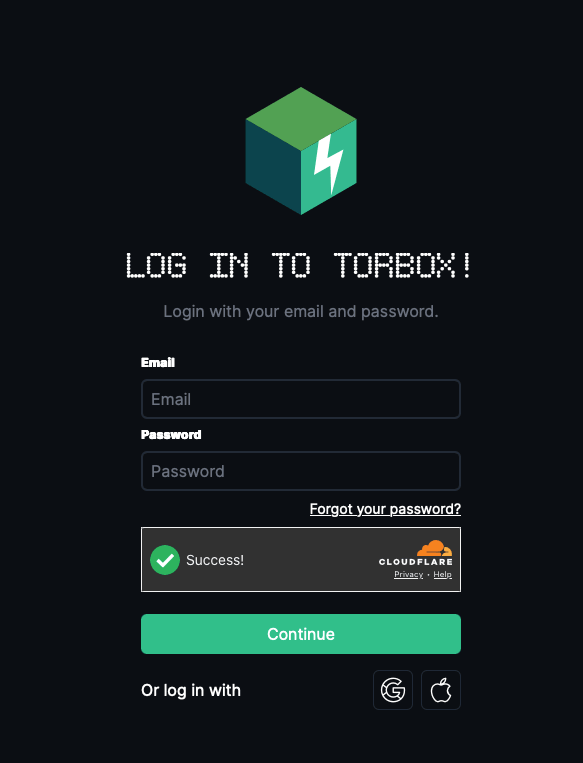
- On your phone, tablet, or computer (not your Firestick’s built-in browser), go to TorBox’s sign-up page and create a free account.
- Verify your email address if TorBox asks you to.
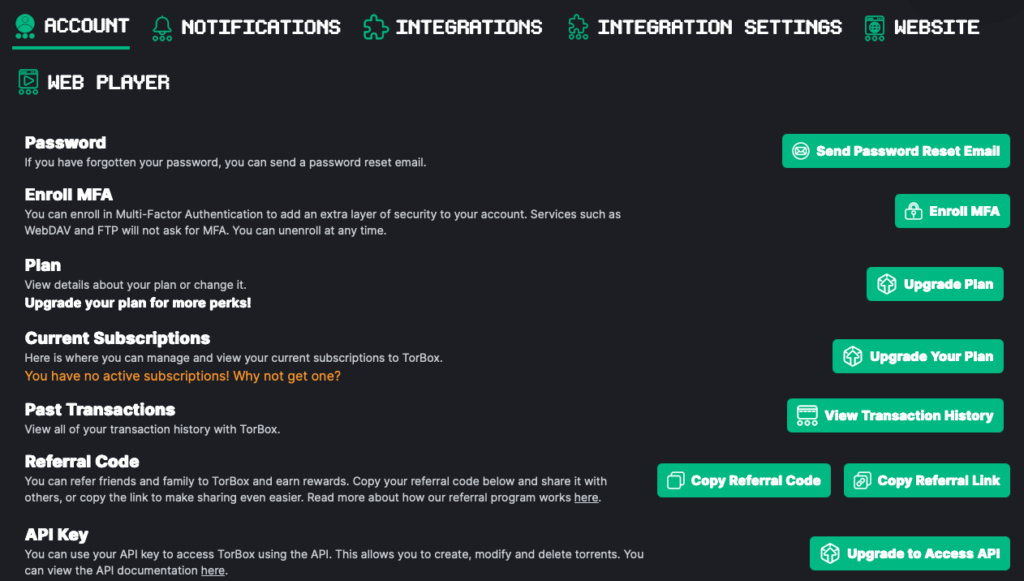
- Log in and go to Settings.
- Find the API Key field and copy it exactly. Treat it like a password, anyone with this key can access your TorBox account.
How to Add TorBox to Kodi (Works With Any Debrid-Ready Addon)
Almost every debrid-ready Kodi addon has a section somewhere in its settings called My Services, Accounts, Premium Services, or Accounts (Debrid), usually found under Tools > Settings inside the addon itself. Once you’re there, TorBox connects one of two ways depending on which addon you’re using.
Method 1: API Key Authorization (POV and Similar Addons)
This is the simpler of the two methods. You paste the API key you copied earlier directly into the addon, and that’s the whole connection step.
- From the Kodi home screen, go to Add-ons, right-click (or long-press) your addon, and select Information > Configure, or open the addon and go to Tools > Settings.
- Find My Services (or Accounts) on the left side of the settings menu.
- Scroll to TorBox and select Authorize.
- Paste the TorBox API key you copied earlier, then select OK.
- Look for a success notification, usually something like “Success TorBox” or “TorBox Authenticated.”
Method 2: Device Code Authorization (Umbrella and Similar Addons)
Some addons skip the API key entirely and use a phone-approved device code instead, similar to how Trakt authorization works. Nothing gets typed on your TV remote, and your actual API key never gets entered into or stored by the addon itself, only the temporary code does. That’s a real advantage if you’re ever running a lesser-known addon fork and don’t fully trust what it does with a key you’d otherwise hand it directly.
- Open the addon and go to Tools > Settings: Accounts (Debrid).
- Select Accounts (Debrid) on the left, then find the TorBox heading and click Authorization.
- A short code and a QR code will appear on screen. Take note of the code, or grab your phone.
- On your phone or computer, go to tor.box/link (or scan the QR code shown on screen), then enter the code and approve it.
- Return to Kodi. The addon should now say something like “TorBox authorized.”
The exact menu wording and number of clicks vary a bit between addon versions, but the underlying pattern stays the same: find TorBox in the addon’s services list, authorize it one of these two ways, and wait for confirmation.
How to Verify TorBox Is Working in Kodi
The fastest check is to search for a popular, well-seeded movie or show inside your addon and open the source list. If TorBox is connected correctly, you’ll see results labeled as TorBox cached or instant sources, usually near the top since cached files play back the fastest.
Most addons also show your linked account and TorBox plan somewhere on the same Accounts or My Services screen you used to authorize it, which is worth a glance if you want to double-check the connection without playing anything.
TorBox Free vs Paid Plans: Which Do You Need for Kodi?
TorBox’s free plan is genuinely free, no payment method required, but it’s built for testing rather than daily Kodi use. It’s capped at around 10 downloads a month with a single concurrent slot, and cooldowns between certain actions, which gets frustrating fast once you’re actually trying to watch things regularly.
- Free: $0/month, around 10 downloads a month, 1 concurrent slot. Good for confirming your addon setup works before you pay for anything.
- Essential: around $3/month (roughly $36 billed annually, sometimes discounted). The realistic starting point for regular Kodi use.
- Standard: around $5/month. Adds extra concurrent download slots and longer torrent seeding time over Essential.
- Pro: around $10/month. Essential and Standard already cover unlimited cached streaming, so Pro’s main extra is Usenet access rather than a faster Kodi experience.
For most Kodi users, Essential is the sweet spot: cached streaming is unlimited on every paid tier, so you’re not missing much by skipping Standard or Pro unless you specifically want Usenet or heavier simultaneous downloads. You can sign up for TorBox here and upgrade later if the free plan feels too limited.
TorBox vs Real Debrid for Kodi: Which Should You Use?
Real Debrid still has the broadest cached library and the widest addon support of any debrid service in the Kodi world, filter or no filter. That’s exactly why so many people haven’t dropped it entirely. But Real Debrid’s 2026 content filter now blocks cached files by keyword rather than waiting for an individual copyright complaint, and plenty of longtime users have lost a big chunk of their working library because of it.
TorBox doesn’t run that same kind of filter today, its cached library has grown quickly, and its free plan makes it a genuinely no-risk way to test whether it covers what you actually watch before you commit any money. It won’t necessarily match Real Debrid’s cache depth for obscure or older titles, but for most mainstream content it’s close enough that a lot of switchers don’t notice a real difference.
Nothing stops you from running both in the same addon at once, either, which is a reasonable middle ground if you’re not ready to fully switch.
Our Real Debrid alternatives comparison covers how TorBox stacks up against AllDebrid, Premiumize, and a few others if you want the fuller picture.
Is TorBox Safe to Use? What to Know About Its Privacy Policy
TorBox itself is a legitimate, legal cloud download service, what you personally use it for depends on the addon and sources you connect it to, the same as with any debrid provider. There is one thing worth knowing before you sign up, though: TorBox rewrote its Terms of Service, Privacy Policy, and DMCA Policy on July 31, 2026, and the changes are meaningfully different from its earlier, more privacy-friendly stance.
The updated policy now logs IP address and geolocation data, keeps caches, logs, backups, and payment, security, abuse, and legal records even after you delete your account with no fixed deletion timeline given, and allows that data to be disclosed to comply with law, respond to government requests, or “protect TorBox, users, third parties, or the public,” which is broad language.
The service is also now operated by Anonymous Systems FZ-LLC, a company registered in the United Arab Emirates, rather than under its earlier, more transparent structure. None of this means TorBox is unsafe to use, but it’s a real shift worth knowing about rather than assuming it still runs the same no-logs-style policy it launched with. Running any debrid service, TorBox included, behind a VPN is the simplest way to reduce what any of this data collection can actually tie back to you.
How Do You Stay Protected While Using Kodi?
Sign up for a premium Kodi VPN and access the internet unrestricted. We offer exclusive discounts for NordVPN and IPVanish, two of the highest respected VPNs in the Kodi community. Both of these VPNs have some great features for users:
- Apps for Android, iOS, Mac, Linux & more
- Zero Logs
- Unlimited bandwidth
- Tier 1 hardware (no speed slowdown)
- Access to hundreds of VPN servers


TorBox in Kodi Troubleshooting
TorBox Doesn’t Appear in the Services List
Older versions of some addons were built before TorBox support was added. Update the addon (or reinstall the latest version from its repository) and check again.
“Invalid API Key” Error
Double-check you copied the entire key with no extra spaces. If it still fails, generate a new key from TorBox’s Settings page and try again, keys can occasionally get reset or revoked.
Device Code Expires Before You Enter It
These codes are usually only valid for a couple of minutes. If you got interrupted grabbing your phone, just restart the authorization step to get a fresh code.
Authorized but No Streams Are Showing
This usually means either your addon’s scraper module isn’t installed or enabled yet (separate from the TorBox connection itself), or you’ve hit your plan’s monthly limit, most common on the free plan. Check your usage on TorBox’s dashboard before assuming the addon is broken.
TorBox Shows as Unauthorized After Reinstalling Kodi or an Addon
This is expected, not a bug. Authorization is stored locally in the addon, so a fresh install or a wipe means repeating the authorization step above.
Frequently Asked Questions
What is TorBox and how does it work with Kodi?
TorBox is a debrid and cloud download service that resolves torrent and Usenet links into fast, cached streams. It doesn’t install as its own Kodi addon, instead you connect it inside a debrid-ready addon like POV, Umbrella, or Prism through that addon’s services or accounts settings.
Is TorBox free to use with Kodi?
TorBox has a permanently free plan with no payment method required, but it’s limited to around 10 downloads a month with one concurrent slot. That’s enough to confirm your Kodi setup works, but most regular users upgrade to the Essential plan, around $3 a month, for daily use.
Which Kodi addons support TorBox?
POV, Umbrella, Red Light, and Prism all support TorBox natively, along with most other actively maintained debrid-ready Kodi addons. Support usually arrives quickly after TorBox adds a new feature, since its API is well documented.
Is TorBox safe and private to use?
TorBox is a legitimate cloud download service, but its July 2026 Terms of Service update now logs IP address and geolocation data and retains more account data after deletion than it used to. It’s still widely used and functional, but running it behind a VPN is a sensible precaution given that change.
Is TorBox better than Real Debrid for Kodi?
Real Debrid still has the broadest cached library and widest addon support overall, but its 2026 content filter has blocked a meaningful chunk of previously working streams for many users. TorBox doesn’t run that same filter, has a genuinely free plan to test with, and works well enough for most mainstream content that many people run it alongside or instead of Real Debrid.
Final Thoughts
Getting TorBox in Kodi working is genuinely one of the quicker debrid setups out there, most of the time is spent creating the account, not fighting with menus. Start on the free plan to confirm it works with whatever addon you’re already running, upgrade to Essential once you’re relying on it daily, and keep a VPN running given TorBox’s updated privacy stance. If Real Debrid’s content filter is the reason you’re here, running TorBox alongside it rather than fully switching is a reasonable way to hedge your bets while its cached library keeps growing.