
The Nuvio Downloader code is 2525208. Type it into the Downloader app on your Firestick, Android TV, or Google TV device and it pulls the latest official Nuvio APK straight from the project’s GitHub page. If you’re on an Nvidia Shield TV Pro, use 5693044 instead, which is the 64-bit build.
We set up and verified both codes ourselves, and they point at Nuvio’s always-latest release link rather than one specific version. That means they won’t go stale every time Nuvio pushes an update, which lately has been every few days.
Learn more about the Nuvio Downloader code below, what it’s used for on Firestick and Android TV, and why it’s the easiest way to install the Nuvio APK!
Nuvio Downloader Code for Firestick, Android TV & Google TV (Verified)
Both codes point to Nuvio’s official GitHub releases, not a mirror or a third-party download site.
| Downloader Code | Build | Use It On | Points To |
|---|---|---|---|
| 2525208 | 32-bit (armeabi-v7a) | Every Fire TV Stick and Fire TV Cube, Chromecast with Google TV, Google TV Streamer, Onn boxes | Latest official NuvioTV release on GitHub |
| 5693044 | 64-bit (arm64-v8a) | Nvidia Shield TV Pro | Latest official NuvioTV release on GitHub |
Right now both codes install the latest version of the Nuvio APK’s stable release, so a fresh install gets the stable build rather than a beta. When Nuvio ships its next stable version, the same codes automatically pull that one instead.
Which Nuvio APK for Firestick? 32-Bit vs 64-Bit Codes Explained
Nuvio publishes separate APK builds for 32-bit and 64-bit devices, and grabbing the wrong one is one of the most common reasons an install fails. The short answer for Firestick owners: use the 32-bit code, 2525208.
That surprises people, since the Fire TV Stick 4K Max has a 64-bit processor. But according to AFTVnews’s device-by-device breakdown, Amazon runs 32-bit software on it, and on nearly every other Fire TV device too. The same goes for most Google TV hardware.
Devices That Need the 32-Bit Nuvio Code (2525208)
- Fire TV Stick (all generations) and Fire TV Stick Lite
- Fire TV Stick 4K and Fire TV Stick 4K Max (1st and 2nd gen)
- Fire TV Cube (all generations) and Fire TV smart TVs
- Chromecast with Google TV (4K and HD) and the Google TV Streamer
- Onn streaming sticks and boxes, and the TiVo Stream 4K
- The 2019 tube-shaped Nvidia Shield TV
Devices That Need the 64-Bit Nuvio Code (5693044)
- Nvidia Shield TV Pro
- Other Android TV boxes that report a 64-bit instruction set (see the check below)
Not sure what you have? If your device isn’t listed, try the 64-bit code first, since that’s the build made for a 64-bit processor if yours has one. On a 32-bit device the install just fails with no harm done, and you can switch to 2525208. You can also install the free AIDA64 app and check the Instruction Set line under its CPU tab.
How to Use the Nuvio Downloader Code on Firestick & Google TV (4 Steps)
If you already have Downloader installed and allowed to install apps, this takes about two minutes. If not, our guide to installing the Downloader app walks through that first. On Fire TV, the permission lives under Settings > My Fire TV > Developer Options > Install Unknown Apps; on Google TV, look under Settings > Apps > Security & Restrictions.
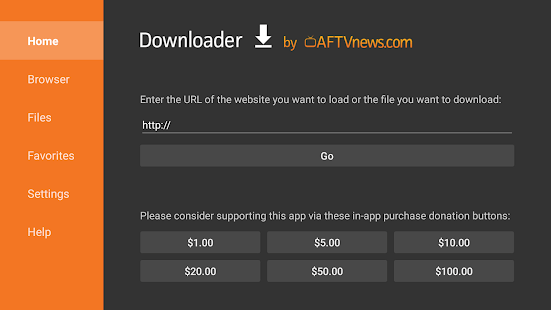
- Open the Downloader app (by AFTVnews) and select the URL box on the Home tab.
- Type 2525208 (or 5693044 on an Nvidia Shield TV Pro) and select Go.
- Wait for the Nuvio APK to download (roughly 72 to 74 MB), then select Install when the prompt appears.
- Select Open to launch Nuvio, or Done to return to Downloader, where you can delete the APK file to free up storage.
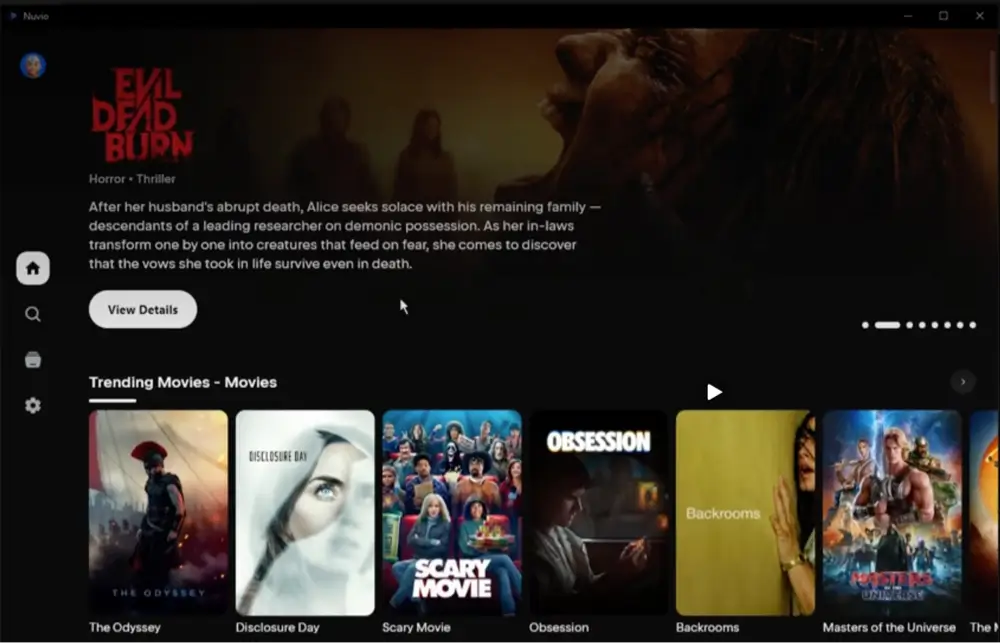
Nuvio opens to an empty library at first. You’ll need a free Nuvio account and at least one addon before anything shows up, which our complete Nuvio install guide covers step by step with screenshots. First time sideloading on a Firestick? Our Firestick jailbreak guide explains the Developer Options setting in more detail.
Nuvio APK Download URL for Downloader (No Code Needed)
Prefer not to use a shortcode? You can type Nuvio’s official release page into Downloader’s URL box instead: github.com/NuvioMedia/NuvioTV/releases/latest
That opens the latest release page inside Downloader’s built-in browser. Scroll to the Assets section and select app-full-armeabi-v7a-release.apk for Fire TV and most Google TV devices, or app-full-arm64-v8a-release.apk for an Nvidia Shield TV Pro. It’s the same file our codes fetch, just with more scrolling and typing on a remote.
Skip the file with “universal” in its name. It bundles every build into a single download of roughly 223 MB, about three times the size, with no benefit on a streaming stick.
Nuvio Latest Version: APK Quick Facts
| Latest Stable Version | 1.0.0 (released September 19, 2026) |
| Latest Beta | 1.1.0-beta.1 (not installed by our codes) |
| Official Source | github.com/NuvioMedia/NuvioTV |
| Official Website | nuvio.tv |
| APK Size | About 72 MB (32-bit), 74 MB (64-bit) |
| Google Play | Removed September 5, 2026 |
| Price | Free |
Nuvio has been shipping new builds every two to three days, so the version number above will move quickly. Our codes always follow the newest stable release, so there’s no need to come back for a new code each time.
Nuvio Downloader Codes to Avoid (2495955 and Outdated Codes)
Search for a Nuvio Downloader code and you’ll find several floating around. We ran each one through AFTVnews’s own shortener to see where it actually leads:
| Code | Where It Leads | Verdict |
|---|---|---|
| 2495955 | nuvioplugin.com, a third-party site | Skip it. Not the official Nuvio project |
| 7184826 | Official GitHub, version 0.9.2-beta (32-bit) | Outdated. Installs an older beta |
| 6817136 | Official GitHub, version 0.9.2-beta (64-bit) | Outdated. Installs an older beta |
| 7042930 | Nuvio’s old GitHub location, version 0.4.8-beta | Very outdated |
2495955 deserves a specific warning, because it’s currently the code Google’s AI answer shows when you search for a Nuvio Downloader code. It doesn’t lead to Nuvio’s GitHub page. It opens nuvioplugin.com, a site that presents itself as the home of “official” Nuvio apps but isn’t Nuvio’s actual website, which is nuvio.tv. There’s no reason to route an install through a site you can’t verify when the official source is one code away.
The version-pinned codes point to Nuvio’s real GitHub releases, so they’re safe to use, but they install a build that’s weeks behind and you’d have to update it right away. That’s the reason ours follow the latest release instead.
Since Nuvio was pulled from Google Play, lookalike Nuvio apps and download sites have multiplied. Our Nuvio removed from Google Play explainer covers what happened and how to spot the fakes.
Nuvio Downloader Code vs. GitHub vs. TROYPOINT Toolbox: Which Is Best?
All three routes end with the same official Nuvio APK. The difference is how much typing and clicking it takes to get there.
Nuvio Downloader Code (Fastest)
You type seven digits on one screen and the download starts. That makes it the best route for most people, as long as the code points to the latest release, which ours do.
GitHub Releases Page (Most Direct)
No middleman at all, but typing a long URL with a remote and picking the right file from a list of five is slow. It’s worth it if you want to see exactly which version you’re getting, or if you want a beta build our codes don’t pull.
TROYPOINT Toolbox (Code 250931)
TROYPOINT’s Downloader code opens its own app library, which includes Nuvio alongside dozens of other apps. It’s handy if you plan to install several apps in one sitting, but it adds an extra step and an extra site between you and the file if Nuvio is all you want. For a single Nuvio install, the direct code wins.
Nuvio Downloader Code Not Working? 4 Fixes
The Code Opens a Web Page Instead of Downloading
Make sure you typed the code into the URL box on Downloader’s Home tab, not a search bar. Downloader normally follows the redirect straight to the file. If you land on a page showing the destination link instead, select that link to start the download.
“App Not Installed” Error
This usually means Nuvio is already installed from a different build (for example, the 64-bit version on a device where you’re now installing the 32-bit one, or a copy from a different source), and Android refuses to overwrite it. Uninstall the existing Nuvio app, then run the code again. Your free Nuvio account syncs your profile, addons, and watch progress, so signing back in restores your setup. Low storage can cause the same error, so free up some space if uninstalling doesn’t fix it.
Nothing Works on a New Fire TV Stick
The Fire TV Stick 4K Select (2025) and the 2026 Fire TV Stick HD run Amazon’s Vega OS, which blocks sideloading completely. No Downloader code will work on them. Our Vega OS explainer lists every affected model.
The Download Stalls or Fails Partway
The APK is about 72 MB, so a weak Wi-Fi signal can interrupt it. Delete the partial file from Downloader’s Files tab, restart your device or move it closer to your router, and run the code again.
Looking for the Nuvio QR Code Instead? (Login Code Not Working or Not Generating)
A lot of people searching for a “Nuvio code” actually mean the QR code or pairing code Nuvio shows on your TV when you sign in, not a Downloader code. When that code won’t work, it’s usually one of three things:
- Pairing codes only last a few minutes, so an expired code won’t link. Back out to the sign-in screen to generate a fresh one.
- Your phone needs to be signed into the same Nuvio account you’re trying to link on the TV.
- If no QR code appears at all, the app usually can’t reach Nuvio’s servers. Restart the app and your router first. Some users have reported their internet provider blocking Nuvio’s servers, and connecting through a VPN has fixed it for them.
The full sign-in walkthrough is in the setup section of our Nuvio install guide.
Is the Nuvio Downloader Code Safe?
Yes, as long as the code points to Nuvio’s official GitHub releases, which both of ours do. A Downloader code is just a short link, and it’s only as safe as its destination. That’s why this page lists where every code leads instead of just publishing numbers.
Nuvio is open source, so its code is public on GitHub for anyone to inspect, which makes it easier to trust than closed-source APKs from anonymous sites. The addons you install afterward are a separate matter: they’re built by third parties, and what you stream through them is your responsibility.
Since you’re sideloading and streaming through third-party addons, it’s worth running a VPN on your device. NordVPN is our top pick for Firestick and Android TV, and our VPN guide compares the alternatives.
Frequently Asked Questions
What Is the Downloader Code for the Nuvio App?
The Nuvio Downloader code is 2525208 for Fire TV, Firestick, and most Google TV devices, and 5693044 for the Nvidia Shield TV Pro. Both point to the latest official Nuvio release on GitHub.
What Is the NuvioTV Downloader Code for Android TV?
NuvioTV is the name of Nuvio’s TV app. Use 2525208 on most Android TV and Google TV devices, including Chromecast with Google TV, the Google TV Streamer, and Onn boxes. Use 5693044 on an Nvidia Shield TV Pro.
Does Nuvio Work on Firestick?
Yes. Nuvio runs on every Fire TV Stick and Fire TV Cube that uses Fire OS, including the Fire TV Stick 4K Max. The exceptions are the Fire TV Stick 4K Select and the 2026 Fire TV Stick HD, which run Vega OS and can’t sideload apps.
Is Nuvio Still on Google Play?
No. Nuvio was removed from Google Play on September 5, 2026, after a copyright complaint from the Motion Picture Association. The official APK is still available on GitHub, which is where the Downloader codes on this page point.
Do I Need a Downloader Code to Install Nuvio?
No, but it’s the fastest way. You can type Nuvio’s GitHub releases URL into Downloader instead. The code just saves you from typing a long address with your remote.
How Do I Update Nuvio After Installing With a Code?
Check Nuvio’s settings for its built-in update option, or simply run the same code again. Since our codes always point to the latest stable release, they download the newest version, which installs over your existing copy as long as you use the same build (32-bit or 64-bit).
Final Thoughts
For almost everyone, the Nuvio Downloader code you want is 2525208, and Nvidia Shield TV Pro owners should use 5693044. Both lead straight to Nuvio’s official GitHub releases and always pull the newest stable version, so you can bookmark this page and reuse the same code every time you set up a new device.
Skip 2495955 and the version-pinned codes still circulating, and once Nuvio is installed, head to our Nuvio install guide to set up your account and addons.