
Nuvio vs Stremio comes down to a handful of real differences, and most of them matter more on a Firestick or Android TV box than on a phone. Both apps are free media centers that play whatever your addons find, and both can run on Fire TV, Android TV and Google TV. The choice is really about profiles, price, how stable you want the app to be, and which other devices you watch on.
You are not locking yourself in either way. Nuvio reads Stremio addon URLs, so the setup you build in one app carries over to the other.
This guide compares Nuvio vs Stremio feature by feature for TV box owners, shows how to install each with Downloader, and ends with a five-step switch-over that keeps Stremio on your device while you try Nuvio. If you only need the install steps for Nuvio, start with our Nuvio install guide.
Quick Verdict: Nuvio vs Stremio at a Glance
Pick Nuvio if you run a Firestick or Google TV box, share it with other people, and want free PIN-protected profiles and a home screen you can rearrange. Pick Stremio if you also use an iPhone or iPad, want native usenet on a desktop, or would rather run a release that is not labeled beta. If you cannot decide, install both. They share the same addons, so it costs you almost nothing to try.
| Feature | Nuvio | Stremio |
|---|---|---|
| Fire TV (Firestick) | Sideload the APK with Downloader | Sideload the Android TV APK with Downloader |
| Android TV and Google TV | APK from GitHub (Google Play listing was removed) | Google Play or APK |
| iPhone and iPad | Sideload through AltStore or SideStore (App Store listing withdrawn) | Limited web version; full version through AltStore PAL in the EU, Brazil and Japan |
| Apple TV | No | No |
| Price | Free and open source | Free; Supporter plan $39.99 per year; Lifetime $199.99 |
| Profiles | Multiple, PIN-protected, free | Up to 6, Supporter plan only |
| Usenet | None found | Native on desktop builds only |
| Addons | Reads Stremio addon manifest URLs | Native |
| Release status | TV and mobile builds are beta, desktop is alpha | Regular releases |
Is Nuvio the Same as Stremio? The Main Differences
No. They are two separate apps from different developers. What they share is the addon format: both play streams that addons find, neither one hosts any content itself, and an addon built for Stremio can be pasted into Nuvio as a URL. Nuvio is not a Stremio fork, and I would not describe it as one. It simply reads the same addon manifests.
The practical differences are on the list above. Nuvio gives you free profiles, a customizable home screen and fast-moving development, but it is still beta software. Stremio gives you a longer track record, more platforms, native usenet on desktop and a paid tier for extras like profiles.
Nuvio Streams Stremio Addon Is Not the Nuvio App
If you searched for “nuvio streams stremio addon”, note that Nuvio Streams is a separate third-party addon name. It is not the Nuvio app, and it is not made by the Nuvio project. Check the developer before you add any addon URL to either app.
Nuvio vs Stremio on Firestick
Neither app is something you can click to install from a menu on a Firestick, so both go on the same way: with the Downloader app. If you have not set that up yet, follow our guide to installing Downloader on Firestick and turn on app installs from unknown sources, which our Firestick jailbreak guide walks through.
One limit applies to both. The Fire TV Stick 4K Select and the 2026 Fire TV Stick HD run Amazon’s Vega OS, which cannot sideload apps, so neither Nuvio nor Stremio will install on them. Every Fire TV model that still runs Fire OS, including the Fire TV Stick 4K Max, can sideload both.
How to Install Nuvio on Firestick
- Open the Downloader app on your Firestick.
- Select the URL box on the Home tab and type the code 2525208. This is our verified code for the 32-bit build that most Firesticks need. Nvidia Shield TV Pro owners should use 5693044 for the 64-bit build.
- Select Go and wait for the download to finish.
- Choose Install, then Open, and sign in or create your Nuvio account.
Both codes point at Nuvio’s always-latest GitHub release, so they do not go stale each time a new beta ships. The Nuvio Downloader code page explains which build your device needs, and the full Nuvio install guide covers the account and addon setup that follows.
How to Install Stremio on Firestick
Stremio does not publish a short Downloader code, so you type its APK link instead. On the Stremio side, the file you want is the Android TV APK for ARM devices, which suits most Fire TV sticks.
- Open Downloader and select the URL box.
- Type dl.strem.io/android/v1.10.4-androidTV/com.stremio.one-1.10.4-31048580-armeabi-v7a.apk and select Go. That is the current Android TV ARM build listed on Stremio’s download page.
- When the download finishes, choose Install, then Open.
- Sign in with your Stremio account, or create one, and add your addons.
That link is pinned to one version. If it ever returns an error, open Downloader’s built-in browser, go to stremio.com/downloads, and copy the newest Android TV link from there. Because the file was sideloaded, Stremio will not update itself on Fire TV the way a store app would, so repeat the steps when you want a newer version.
Nuvio Beta on Firestick: What the Beta Label Means in Daily Use
NuvioTV, the Android TV and Fire TV app, is still shipping as beta. Its release page shows five beta builds between September 22 and October 7, so a new version lands every few days. Those releases fix real problems (crashes in the player, a buffering loop on MP4 files) and add features such as library lists and trailers, which is the upside of a fast-moving project.
The downside is that features and settings move around between builds, and a sideloaded Firestick install does not update itself. To update, run the same Downloader code again and install over the top. If you hit buffering after an update, the release notes point to the Reset button under Custom Network Buffers.
If you want an app that changes slowly and rarely surprises you, Stremio’s regular release cycle suits that better. If something breaks in Nuvio, our Nuvio not working guide covers the usual fixes.
Nuvio vs Stremio on Android TV and Google TV
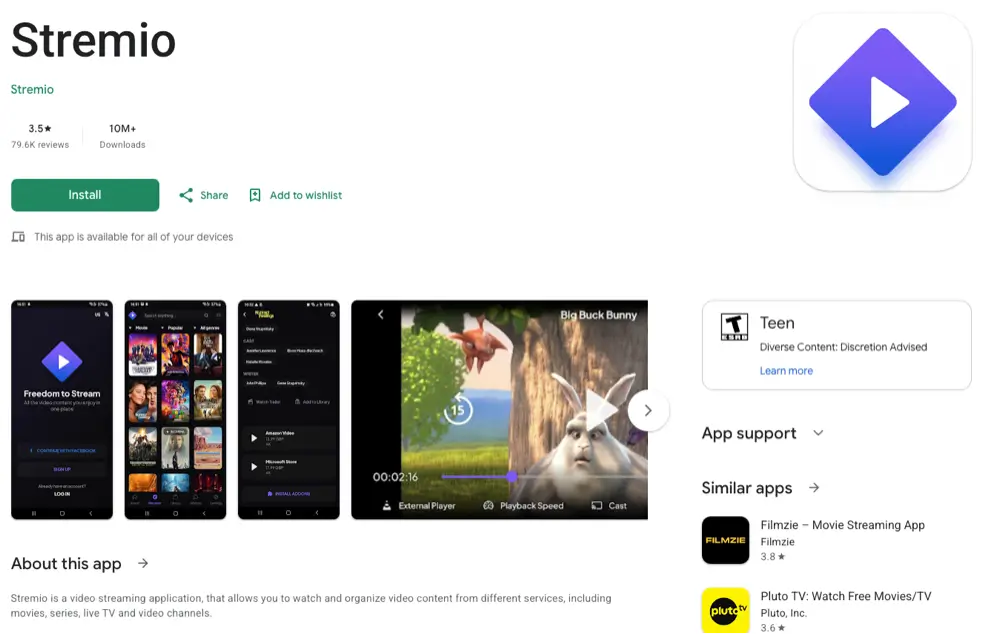
On an Onn 4K box, a Chromecast with Google TV or an Nvidia Shield, Stremio is the easier of the two to get: you can install it from Google Play or from the APK on its download page.
Nuvio used to be a Google Play install too, but its listing was removed in September 2026, so new installs now come from the official GitHub releases. The easiest route is the same Downloader code as above: install Downloader from Google Play, then follow the Downloader code page to pick the 32-bit or 64-bit build your box needs (the Shield TV Pro uses 5693044).
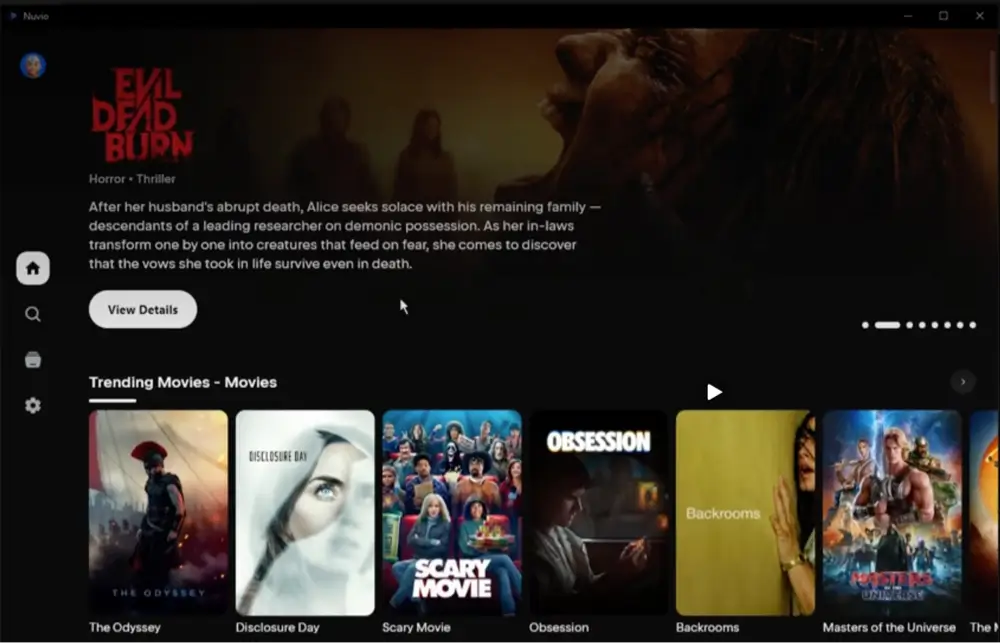
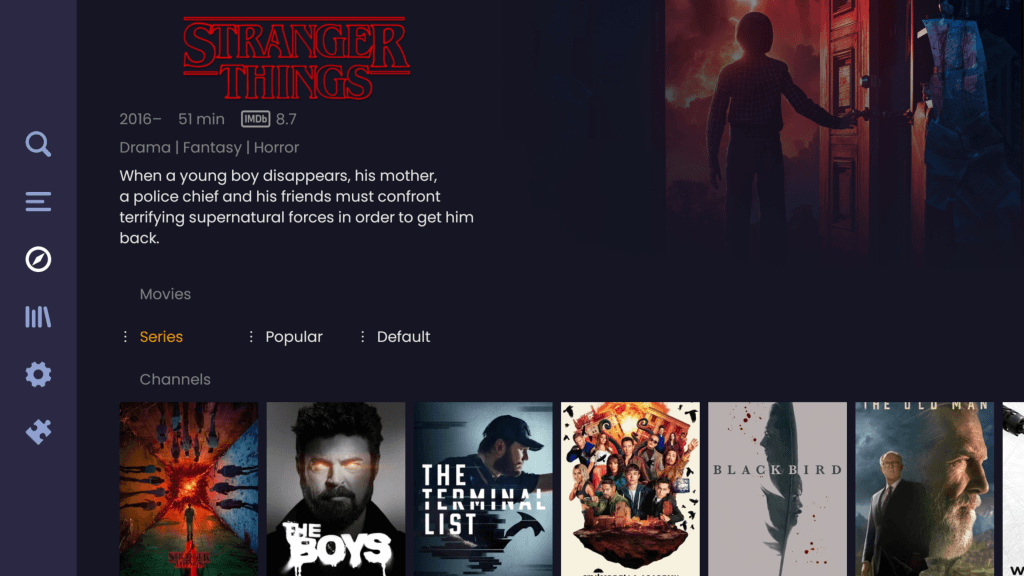
Once either app is running, day-to-day use is similar. Both are built for a remote and both pull their catalogs and streams from addons, and Nuvio scrobbles your watch history to Trakt. The profile picker and the home screen layout are where Nuvio feels different, which the next sections cover.
Does Nuvio Support Stremio Addons?
Yes. Nuvio installs Stremio-compatible addons from their manifest.json URL, the same link you paste into Stremio. You copy the URL, paste it into Nuvio’s addon screen, and the addon loads with the same configuration. Nothing needs to be rebuilt or re-bought, and your debrid key stays inside the addon link.
There is one honest limit. A shared addon format does not guarantee that every addon behaves the same in both apps. Streams still depend on the type of resource, the headers an addon sends and what each app’s player can handle, so test your must-have addons before you delete anything. Our guide to adding addons to Nuvio shows the URL method and the phone QR shortcut that saves typing a long link with a remote, and the best Nuvio addons lists what is worth installing first.
Can You Sync Nuvio and Stremio?
Not directly. The two apps do not share an account, so your Stremio library does not appear in Nuvio on its own. Addons move over as URLs, and your watch history lives in your Trakt or Simkl account if you use one, which works with both. What moves across is your addon list.
Nuvio vs Stremio Profiles: Which One Gives You Free Profiles?
This is Nuvio’s clearest advantage. Nuvio lets you create multiple viewer profiles that can be PIN-protected and picked at launch, and it syncs your settings and watch history across devices. All of that is free. On a shared living-room Firestick, it means each person keeps their own watch history instead of one muddled shared list.
Stremio Profiles Cost Money
Stremio does have profiles now, but they sit behind its paid Supporter plan. Its plans page lists up to 6 user profiles, plus child-safe profiles and catalogs, for Supporter and Lifetime members. If an older article told you Stremio has no profiles at all, that is out of date. It is a paid feature rather than a missing one.
Nuvio Kids Profile
If you want a restricted profile for children, Nuvio’s profile system is the place to start, and it costs nothing. Stremio’s equivalent child-safe profiles require the paid plan. Set a PIN on the adult profiles so a child cannot switch into them.
Nuvio vs Stremio Price: Is Nuvio Free and Is Stremio Free?
Both are free to use. Nuvio is free and open source under the GPL-3.0 license. Stremio’s Basic plan is free forever and includes all current Stremio features, while the optional Supporter plan costs $39.99 per year and a one-time Lifetime plan costs $199.99. Supporter adds profiles, child-safe catalogs, a download manager, stream filtering and appearance options.
Neither price includes the content side. If you use a debrid service for premium links, that is a separate subscription either way. Our Real Debrid alternatives guide compares the options.
Nuvio vs Stremio With Real Debrid and TorBox
Both apps use debrid through addons rather than through a built-in login. You add an addon such as Torrentio, enter your Real Debrid or TorBox details in that addon’s setup page, and paste the finished addon URL into the app. Because the debrid key lives in the addon link, the same link works in Nuvio and in Stremio. Our Torrentio Nuvio guide shows the full process for Nuvio.
Nuvio vs Stremio on iPhone, iPad and Apple TV (iOS)
This is where Stremio clearly wins. Stremio’s download page offers a limited web version for iPhone and iPad, and a full version through AltStore PAL in the EU, Brazil and Japan. Nuvio’s App Store listing launched in July 2026 and was withdrawn weeks later, according to third-party trackers. Nuvio’s own GitHub page now points iPhone users to AltStore or SideStore, where you add Nuvio’s source URL, and a capped TestFlight beta also exists.
Apple TV is a no for both apps. If you watch mainly on an Apple device, Stremio is the easier choice. Be careful with sites that offer a Nuvio IPA for iPhone, since you should only sideload from the official Nuvio repository.
Nuvio vs Stremio Usenet Support
Stremio’s desktop app added native usenet streaming in November 2025, with the team saying the rollout would reach other platforms later. I found no usenet support in Nuvio’s documentation or release notes. On a Firestick or Android TV box this rarely matters, because Stremio’s native usenet is limited to desktop builds for now. If usenet is central to how you watch, use Stremio on a computer.
Nuvio Removed From Google Play: Does It Change Nuvio vs Stremio?
It changes where you get Nuvio, not how it works. Nuvio’s Android listing was removed from Google Play on September 5, 2026 after a copyright complaint, so new installs and updates no longer come through the Play Store. Existing installs keep working, and Firestick users were already sideloading, so the Downloader steps above are unaffected. We cover the whole story in Nuvio removed from Google Play.
Stremio has been through something similar. According to the reports covered in that article, it was pulled from Google Play in January 2026 and came back about 19 days later.
Nothing guarantees Nuvio follows the same path, so the safest plan is to treat GitHub as your source for Nuvio.
Are Nuvio and Stremio Safe and Legal?
Both apps are empty until you add addons, and neither one hosts content. What you stream, and whether it is legal where you live, depends on the addons you install. Nuvio is open source, so its code is public. Download each only from its official source: Nuvio from its GitHub releases, Stremio from stremio.com.
Because you are sideloading and streaming through third-party addons, run a VPN on the device. NordVPN is our top pick for Firestick and Android TV, and our VPN guide compares the alternatives.
Nuvio vs Stremio vs Kodi: Where Kodi Fits
Kodi is a different kind of app. It is a local-first media center with a huge addon library, deep customization and a long history, while Nuvio and Stremio are streaming-first apps built around addon catalogs. Kodi takes longer to set up and rewards tinkering. Nuvio and Stremio get you to a home screen faster. Our Kodi vs Nuvio comparison goes into detail.
Nuvio or Stremio: Which Should You Pick?
Choose Nuvio If…
- You share a Firestick or Google TV box and want free PIN-protected profiles
- You want to rearrange or hide home screen rows
- You are comfortable with beta software and updating every so often
- You only watch on Android, Fire TV and computers
Stremio vs Nuvio: Choose Stremio If…
- You also watch on an iPhone or iPad
- You want native usenet on a desktop
- You prefer an app with a longer release history and fewer surprises
- You want to install from Google Play on an Android TV box
My recommendation for a typical Firestick owner is to install Nuvio next to Stremio, paste your addons into both, and keep whichever one you open more after a week. They do not conflict, and the nuvio vs stremio decision is a lot easier with both on your own screen.
How to Switch From Stremio to Nuvio
- Install Nuvio with the Downloader code above, and leave Stremio installed.
- In Stremio, copy the manifest.json link for each addon you rely on (from the addon’s own configuration page).
- In Nuvio, open the addons screen and paste each link, or send them from your phone with the QR shortcut.
- Sign in to Trakt or Simkl in Nuvio so your watch history follows you.
- Use Nuvio for a week, and uninstall Stremio only if you do not miss it.
If a link does not load, check the URL ends with manifest.json and that you copied the full configured address, not the addon’s landing page. Our addons guide covers the usual errors.
Nuvio vs Stremio FAQ
Is Nuvio Better Than Stremio?
It depends on your setup. Nuvio is better for shared TV boxes because it gives you free PIN-protected profiles and a customizable home screen. Stremio is better if you use Apple devices, want native usenet on desktop, or prefer a more mature release.
Is Nuvio Faster Than Stremio?
I can’t give a fair speed number, because performance depends on your device, your addons and your debrid service more than on the app. Nuvio’s release notes show frequent player and buffering fixes, which suggests the team is actively tuning playback.
Can Nuvio Use My Stremio Addons?
Yes. Copy the addon’s manifest.json URL from Stremio and paste it into Nuvio’s addon screen. Test each addon after adding it, since a shared format does not guarantee identical playback in both apps.
Is Nuvio the Same as Stremio?
No. They are separate apps from different developers. They share an addon format, so the same addons work in both.
Does Nuvio Have Profiles Like Stremio?
Yes, and they are free. Nuvio supports multiple PIN-protected profiles with synced settings and watch history. Stremio’s profiles require its paid Supporter plan.
Is Nuvio on iPhone or Apple TV?
Not through the App Store. Nuvio’s App Store listing was withdrawn in July 2026, and the official GitHub page points iPhone users to AltStore or SideStore sideloading. Neither Nuvio nor Stremio is available on Apple TV.
Can Stremio Play Live TV or Local Files?
Stremio can show live TV and IPTV catalogs if you add an addon that provides them, since its catalogs come from addons. For a local-first library of your own files, Kodi is the better fit.
Should I Delete Stremio After Installing Nuvio?
No, not right away. Keep Stremio for a week while you test your addons in Nuvio, then uninstall it only if you do not miss it.
Final Thoughts: Nuvio vs Stremio on Firestick and Android TV
For a Firestick or Android TV box, Nuvio is the better pick if you want free profiles and a customizable interface and can live with beta software, and Stremio is the better pick if you need Apple device support or the most mature release.
Because both read the same addon URLs, you can try Nuvio without giving anything up. Start with the Nuvio Downloader code, paste your addons, and decide with your own remote.