
In this tutorial, I’ll show you exactly how to install the SportzX APK on your Firestick, Android TV box, or Google TV box. I’ll also cover how to actually use it once it’s installed, plus what you need to know about safety before sideloading it.
SportzX is a free, ad-free live sports streaming app for Firestick and Android TV that works immediately after install, with no debrid service or account required. It streams live NFL, soccer, darts, golf, and tennis alongside international live TV channels, plus highlights for select events.
Is the SportzX APK safe to use, and is it legal? I’ll cover both below, along with the exact install steps and how to actually navigate it once it’s running.
Heads up if you have a newer Fire TV Stick: the 2025 Fire TV Stick 4K Select and 2026 Fire TV Stick HD run Amazon’s Vega OS, which blocks sideloading entirely. There’s currently no way to install SportzX or any other sideloaded app on those specific models. Older and other current Fire TV devices (Fire TV Stick 4K Max, Fire TV Stick 4K Plus, Fire TV Cube) and Android TV/Google TV boxes are not affected.
SportzX APK Quick Facts
| App Name | SportzX |
| Developer | Independent developer (not publicly identified) |
| Price | Free |
| Content Type | Live sports and TV stream aggregator (no debrid or account needed) |
| Compatible Devices | Fire TV/Firestick, Android TV boxes, Google TV, Android mobile (sideload only) |
| Requires | Nothing, works immediately after install |
What is SportzX?
SportzX is a sideloaded Android app that pulls live sports streams and international TV channels into a single, TV-friendly interface. Unlike apps such as STRMR or Nuvio, it doesn’t need a debrid service or third-party addon connected first, it opens straight into a browsable home screen.
It isn’t available on the Amazon Appstore or Google Play, so getting it onto a Firestick or Android TV box means sideloading the APK with the Downloader app, the same method used for other Firestick streaming apps.

SportzX Features You Should Know About
Live Sports Coverage Across Multiple Leagues
SportzX streams live NFL, soccer, darts, golf, and tennis, plus international live TV channels from countries including the US, UK, Spain, and India. If you’re specifically after NFL streams, it’s worth having alongside Kodi addons like Mad Titan Sports rather than relying on just one.
Ad-Free Streaming With Multiple Source Links
Streams run without the pop-up ads common on similar apps, and most events list more than one source link so you can switch if one buffers or drops. A built-in low-quality toggle helps keep streams stable on slower connections.
Custom M3U Playlist and Favorites Support
The SportzX APK supports adding your own M3U playlist if you already have one, and a Favorites system lets you pin the sports, channels, or events you check most so you’re not digging through categories every time.
What We Like and What We Don’t Like About SportzX
What We Like
- Works immediately after install, no debrid account or setup required
- Ad-free streaming with multiple source links per event
- Supports custom M3U playlists and Favorites
- Broad sport coverage plus international live TV channels
What We Don’t Like
- No official website or single verified developer
- Streams depend on third-party sources that can go down without notice
- Not on Google Play or the Amazon Appstore, so sideloading is the only install path
Is SportzX Safe to Use?
SportzX doesn’t have a genuine official website. sportzx.org, the domain most often cited as “official,” currently loads as a dead page with no app information, and several near-identical lookalike domains claim to host the “real” app. That kind of copycat-domain clutter is common with sideloaded streaming apps, and it’s exactly the situation where people end up downloading something they shouldn’t.
We checked the Downloader code used in this guide (1499898) separately: it resolves to SportzX APK version 3.2, hosted on the same file server cited by multiple independent tech sites, and we ran that exact file through VirusTotal on September 20, 2026, which came back clean. An older SportzX build was previously flagged with a suspicious file by at least one other site’s scan, so version matters here, don’t assume every SportzX APK download you find elsewhere is the same file.
A quality VPN adds a layer of privacy while streaming through SportzX’s third-party sources. Click here to view the #1 VPN service for streaming.
Learn how to install and configure your streaming VPN here.
How Do You Stay Protected While Using SportzX?
Sign up for a premium VPN and access the internet unrestricted. We offer exclusive discounts for IPVanish and NordVPN, the highest respected VPNs in the streaming community. Both of these VPNs have some great features for users:
- Apps for Android, iOS, Mac, Linux & more
- Zero Logs
- Unlimited bandwidth
- Tier 1 hardware (no speed slowdown)
- Access to hundreds of VPN servers


Click here to learn more about VPN protection for streaming.
How to Install SportzX APK on Firestick or Android TV
This guide will show you how to sideload the SportzX APK on Firestick or Android TV.
Total Time: 5 minutes
Enable Unknown Sources (Firestick / Fire TV Only)
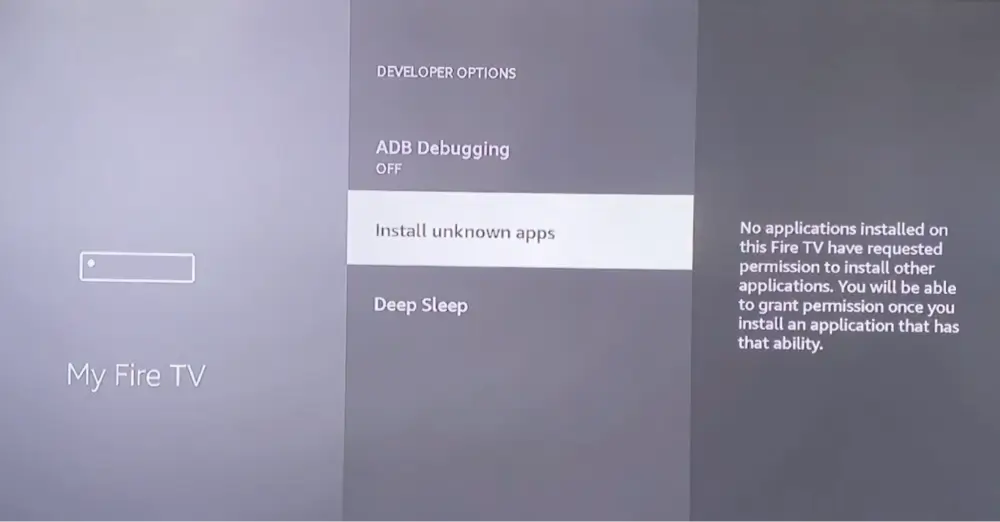
Go to Settings > My Fire TV > Developer Options and turn on Apps from Unknown Sources. You’ll confirm this again for the Downloader app specifically the first time you install something through it.
If you have an Android TV box, you don’t need to do this step.
Enable Unknown Sources (Android TV / Google TV Only)
Menu names vary by device, but look under Settings > Apps (or Security & Restrictions) for an option to allow installs from unknown sources, then enable it for the Downloader app once it’s installed.
This step is only required if you’ve never done this for any other APK installation before.
Search for the Downloader App
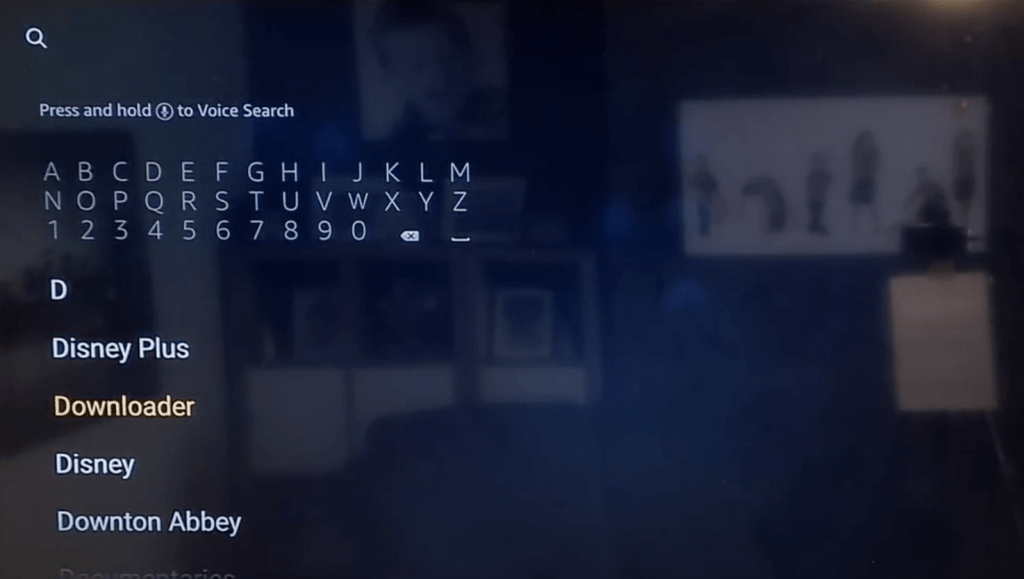
From your device’s home screen, search for Downloader in the Amazon Appstore (Firestick) or Google Play Store (Android TV/Google TV).
Select Downloader From the Results
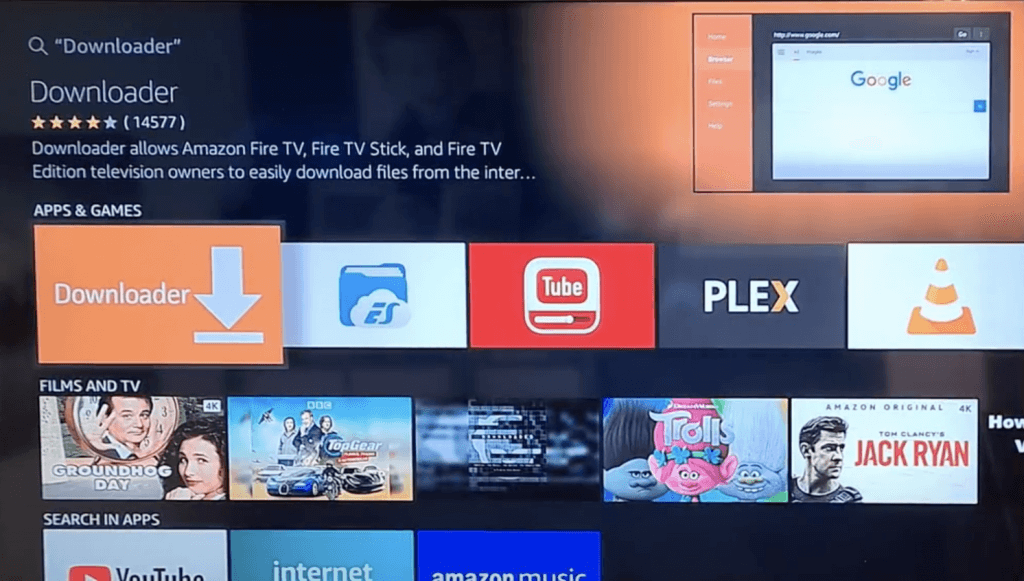
Select the official Downloader app (by AFTVnews) from the search results.
Install the Downloader App
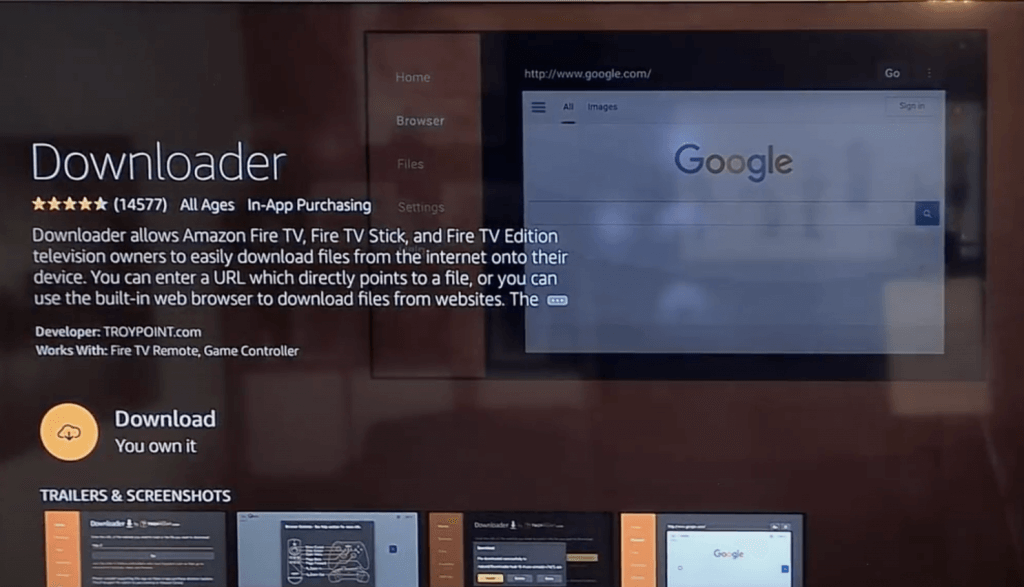
Select Download or Get and wait for Downloader to install, then open it.
Open Downloader
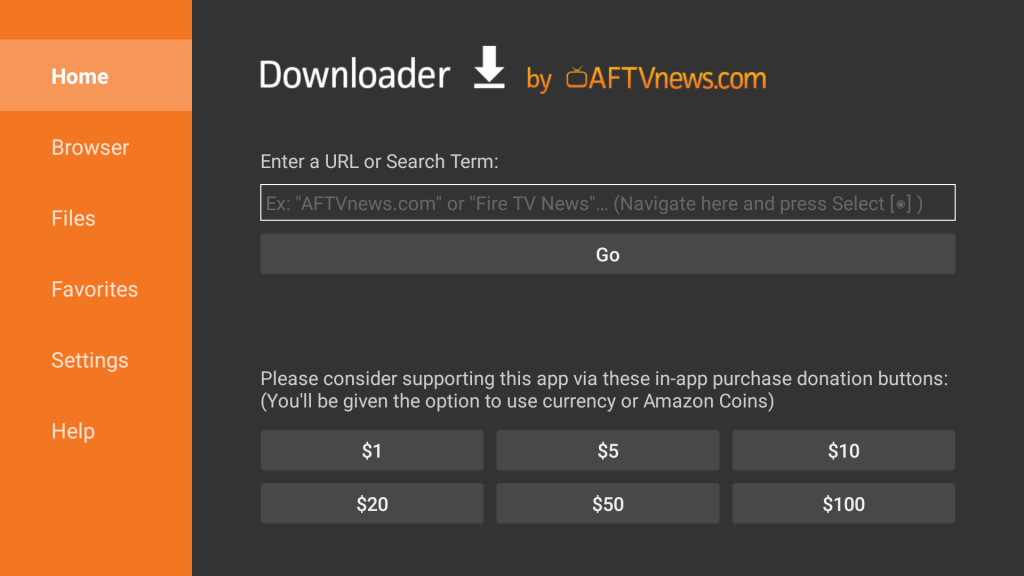
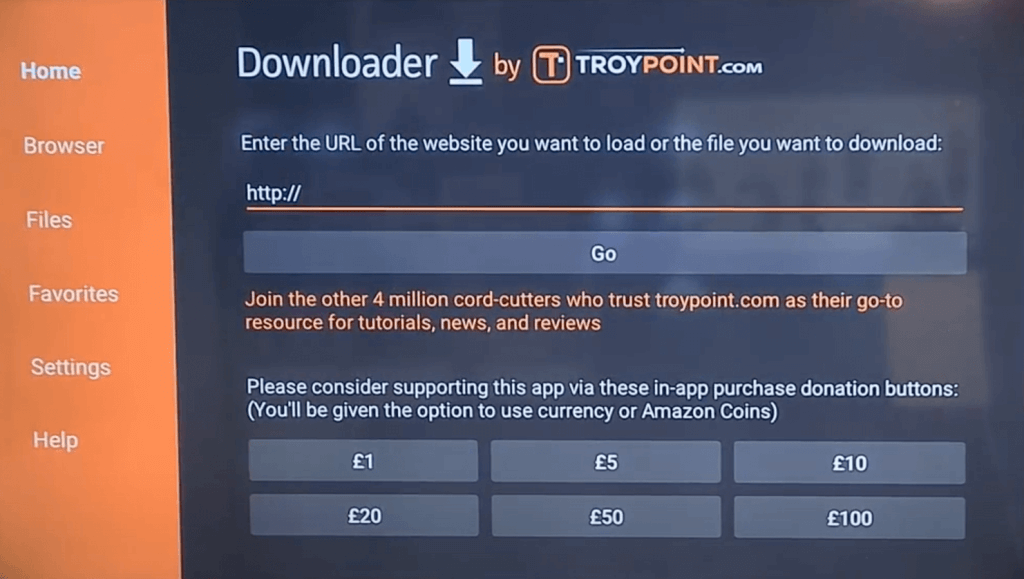
Launch Downloader from your Apps & Channels screen. You’ll see a URL entry field on the main screen.
Enter SportzX’s Downloader Code
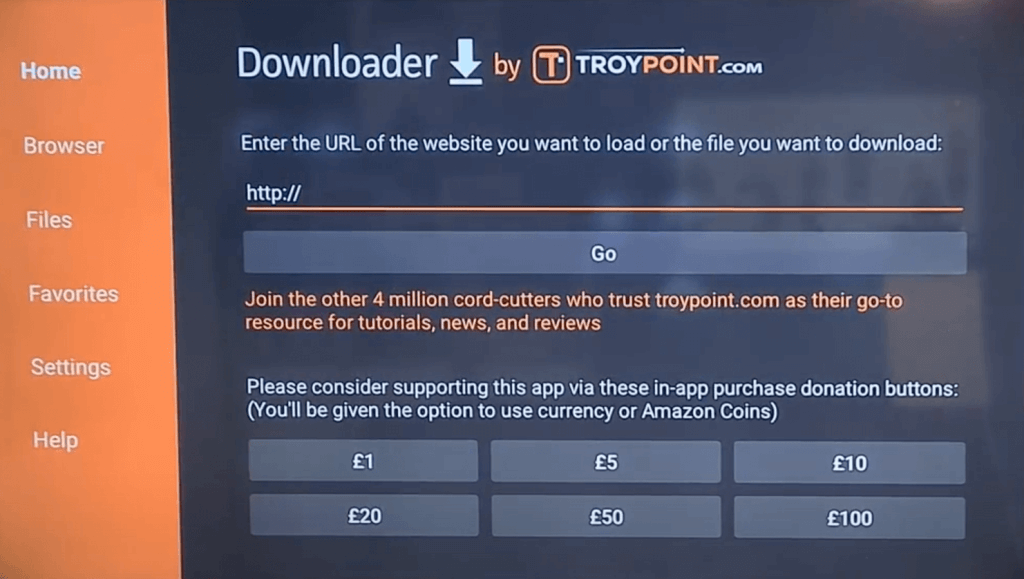
Select the URL field and enter the code 1499898, then select Go. This code takes you straight to the current SportzX APK download, the same file this guide verified before publishing.
Download and Install the APK
Once the download finishes, the install screen will appear automatically. Select Install, wait for it to finish, then select Open to launch SportzX.
SportzX will open straight to its home screen, ready to browse. The next section walks through the actual menu so you’re not guessing where to find things.
How to Use SportzX APK After Installing
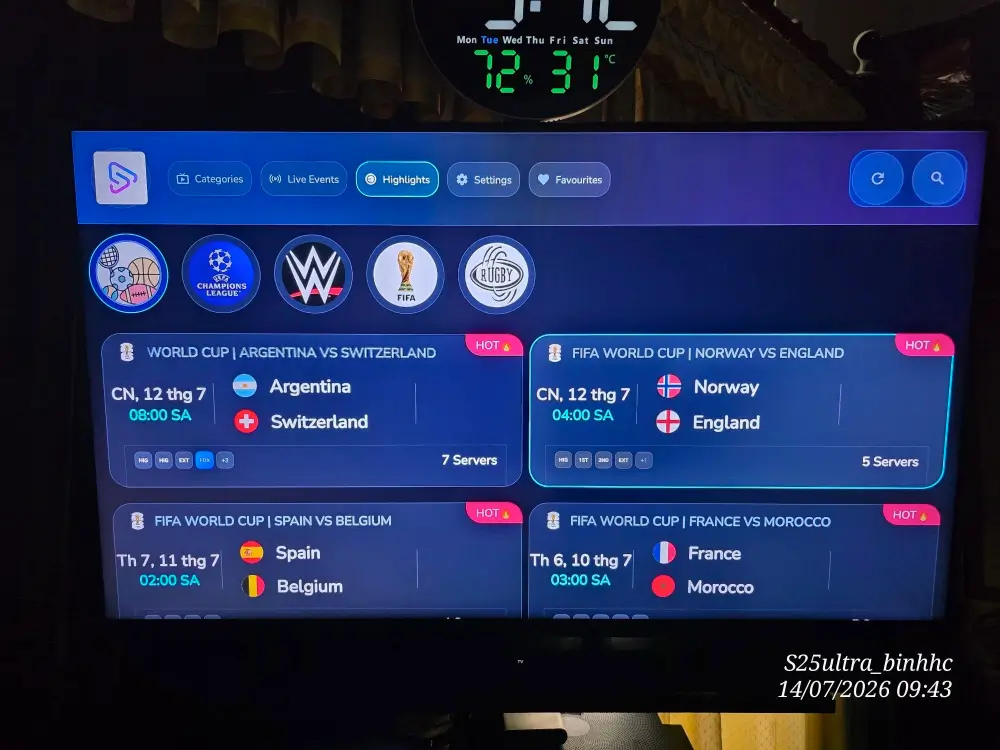
SportzX’s home screen is split into a few simple sections. Here’s what each one actually does.
Live Events
Shows what’s airing or about to air right now across every supported sport, the fastest way to jump into something live without browsing.
Sports and Categories
Sports lets you browse by league (NFL, soccer, darts, golf, tennis, and more) if you already know what you want to watch. Categories groups the international live TV channels by country.
Favorites and Search
Favorites pins the sports, channels, or events you come back to most so they’re one click away. Search jumps straight to a specific team, league, or channel by name instead of browsing categories.
SportzX APK Troubleshooting
Install Blocked or “App Not Installed” Error
Double check Unknown Sources is actually enabled for Downloader specifically, not just toggled at the system level on some Android TV/Google TV devices. Confirm there’s enough free storage, and if it still fails, delete the partial download in Downloader and try again.
No Streams or Dead Links
Since SportzX pulls from third-party sources rather than a debrid service, individual links do go down, especially during high-traffic events. Try another of the listed source links before assuming the app itself is broken.
Buffering During Live Events
Switch on the built-in low-quality toggle, connect your Firestick or Android TV box via Ethernet if possible, and close other apps running in the background.
App Crashes or Freezes
Clear the app’s cache from your device’s app settings, or reinstall the latest APK using the Downloader code in this guide if a crash persists.
Is SportzX Legal?
Determining the legality of SportzX is challenging without knowing whether every stream source it pulls from has proper broadcasting rights. KodiTips does not have the ability to confirm the legal status of these sources.
Plus, legality rules differ depending on what country you live in.
Copyright Concerns
At first glance, some sources accessible through SportzX appear to distribute copyrighted broadcasts without the necessary consent, which raises concerns about their legality.
Public Domain Titles
Content in the public domain is not subject to copyright laws, allowing free streaming without legal issues.
User Responsibility
You, as the end user, bear responsibility for all content accessed through SportzX, making it crucial that you understand what is legal to view in your region.
Legal Streaming Options
For those seeking legal and verified streaming options, check our list of legal Kodi addons with 100% legal content.
Frequently Asked Questions About SportzX APK (FAQs)
How Do You Install SportzX on Firestick or Android TV?
SportzX isn’t available on the Amazon Appstore or Google Play, so you’ll sideload it using the Downloader app and code 1499898. Follow the step-by-step instructions in this guide. Once it’s installed, SportzX opens ready to stream without any extra account or debrid setup.
Is Using SportzX Legal?
SportzX itself is just an app. However, not all of the stream sources it pulls from are guaranteed to have proper broadcasting rights, and that varies by source and by country. Understand the legal risk in your own region before streaming.
Is SportzX Safe to Use?
SportzX has no single verified official website, and several lookalike domains claim to host it, so where you get it from matters. We verified the exact file behind Downloader code 1499898 (SportzX version 3.2) through VirusTotal on September 20, 2026 and it came back clean. An older SportzX build was previously flagged by at least one other site’s scan, so don’t assume every download you find is the same file.
Should I Use a VPN When Using SportzX?
A quality VPN with a strict no-logging policy is highly recommended when using SportzX or any other sideloaded streaming app. A VPN protects your IP address and encrypts your internet connection, keeping your online activity private.
Do You Need an Account or Debrid Service for SportzX?
No. Unlike apps such as STRMR or Nuvio, SportzX works immediately after installing, there’s no account, sign-in, or debrid service to configure before you can start streaming.
Does SportzX Work on Android TV Boxes Like NVIDIA Shield?
Yes, SportzX installs the same way on any Android TV box or Google TV device, including NVIDIA Shield, using the Downloader steps in this guide. It won’t install directly on non-Android smart TVs (Samsung, LG, and similar), you’d need to cast from a phone or connect an external Android TV/Firestick device instead.
How Does SportzX Compare to Mad Titan Sports?
Both stream live sports for free with no debrid account required, but Mad Titan Sports is a Kodi addon that runs inside Kodi, while SportzX is a standalone app you install and use on its own. If you already use Kodi, Mad Titan Sports is worth running alongside SportzX rather than picking just one.
Disclaimer
We have no control over and do not host or upload any video, films, media file, or live streams. KodiTips is not responsible for the accuracy, compliance, copyright, legality, decency, or any other aspect of the content streamed from your device. If you have any legal issues please contact the appropriate media file owners or host sites.