Over 24,000,000 helped since 2016!
Kodi, Android TV & Firestick tips that actually work in 2026
APKs, IPTV, VPN, and debrid services – tested and kept current
MOST POPULAR ARTICLES




LATEST FROM KODI TIPS
How to Install the PenguPlay Nuvio Addon (Firestick, Android TV & Phone)
In this tutorial guide, I’ll show you exactly how to install the PenguPlay Nuvio addon on your Firestick, Android TV, or Google TV device, plus how to add it from your phone and which settings to change first. PenguPlay (also…
How to Install the AIOStreams Nuvio Addon (Firestick, Android TV & Phone)
In this tutorial guide, I’ll show you exactly how to install AIOStreams in Nuvio on your Firestick, Android TV, or Google TV device, plus how to add it from your phone so you don’t have to type a long URL…
Kodi vs Nuvio: Which Streaming App Is Better?
A practical Kodi vs Nuvio comparison covering setup time, addons, cross-device sync, local media support, and which app actually fits how you stream.
Best Trakt Alternatives for Kodi and Streaming Apps (Simkl, Scrob & More)
This guide covers the best Trakt alternatives for Kodi and streaming apps, which ones actually keep working with third-party streaming Kodi addons.

How to Install the POV Kodi Addon (Android TV + Firestick)
In this tutorial, I’ll show you exactly how to install the POV Kodi addon on your Android TV box or Amazon Firestick, plus how to link a debrid service so it actually plays anything.

Retro Games in Kodi: Complete Setup Guide (IAGL & RetroArch)
This is the ultimate and complete setup guide for setting up and installing retro games in Kodi. Get tips and troubleshooting help for setting up your controller with Kodi, installing emulators, finding retro video game roms, and more.

How to Check Log Files in Kodi; Debug, Troubleshoot
Having Kodi issues? Want help from us? Let us show you how to check log files in Kodi so that you can better help us assist you!

How to Update Kodi: Fast and Easy 2 Minute Guide
Do you want to update Kodi to the latest version? You’ve come to the right place! In two minutes, you’ll have the latest Kodi version installed on whatever device you have.
Youtube Kodi Addon: How to Setup & Use
March 27th: There is a big new update to the Youtube addon! Click here for details. The Youtube Kodi addon is one of the biggest and most widely used dependencies on Kodi. Youtube is the biggest streaming websites on the…
How to Install SportzX APK on Android TV & Firestick
In this tutorial, I’ll show you exactly how to install the SportzX APK on your Firestick, Android TV box, or Google TV box. I’ll also cover how to actually use it once it’s installed, plus what you need to know…
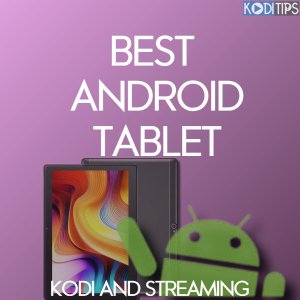
The 5 Best Android Tablets for Kodi and Streaming
In this article, we have put together the best Android tablets for Kodi and streaming that you will ever find on the market.
How to Install and Setup TorBox in Kodi
Here’s how to add TorBox to Kodi using any debrid-ready addon, from creating your account and API key to authorizing it, verifying it works, and troubleshooting common issues.
KEY KODI RESOURCES






KODI GUIDES & TUTORIALS

Mercury Kodi Addon: 4K HD Content
The Mercury Kodi addon is a really nice source for high quality media. There is plenty of 4K and UHD content to check out. Our full guide below includes features list, sections list, setup guide, and tips to make sure…
Universal Scrapers: Best Working Kodi Scrapers List
July 2nd: Universal Scrapers has been updated! Click here for the details. Do you want to see more working links in Kodi and speed up your searching time? Enable the best working Kodi scrapers and disable all those ones returning…

Openload Not Working in Kodi
June 19th @ 21:00pm EST Update: The original Openload domain has now come back online and is working again in all Kodi addons. Enjoy! Kodi users are opening up their favorite media player app today to discover Openload not working in…
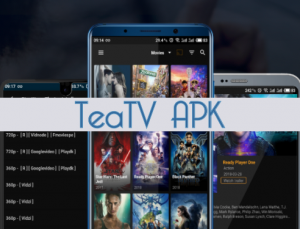
TeaTV Android APK Guide: Terrarium Alternative
June 16th: TeaTV has been updated. Click here for all of the details! The TeaTV Android APK is a Terrarium alternative that you can install on your Kodi hardware and run alongside it! A lot of people have been looking…

LinkSnappy Guide: Full Kodi Setup, Tips & Tricks
LinkSnappy is the most multi-hoster for HD media links. It is an alternative for Real Debrid, Premiumize, or All Debrid, but comes with some awesome features and advantages. Come learn more today and read our guide for information on how…

Deceit Kodi Install Guide: All-in-One Addon
February 9th: Deceit has been updated to v1.2.2. Check out what is new inside of our guide. The Deceit Kodi addon is an all-in-one playlist source featuring tons of popular niches: latest releases, TV, sports, 24/7, Real-Debrid. There is a large…

StarTec AIO Kodi Addon From GenTec Repository
June 1st: StarTec AIO has been updated with a new repo! You must reinstall fresh to see the new update. Click here for details! The StarTec AIO Kodi Addon is a joining of all of the popular niche addons inside…

Destiny Kodi Addon: AIO + Acestream + Custom Playlists
May 31st: Destiny has been updated with a new Live TV section. Click here for the details! The Destiny Kodi addon from the Eggman Repository is a multi-source Kodi addon with a few nice new features including free torrent streaming…
ANDROID TV, FIRESTICK & STREAMING APPS
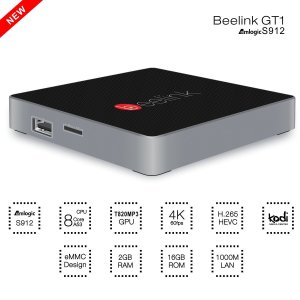
Review: Beelink GT1 Kodi Box
We’ve gotten the chance to review the Beelink GT1, a brand new Android 6 Kodi box. What do we think of it? Read on to find out!
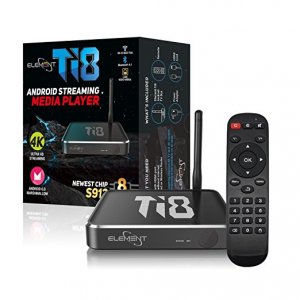
Kodi Box: Element Ti8 Review: S912 CPU, Android 6
Element has come out with a brand new premium Kodi box. Read our Element Ti8 review and enter our contest to win one just in time for Christmas!
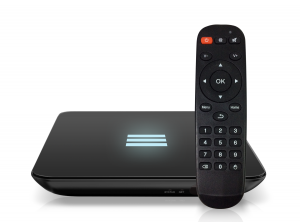
Showcase: Element Ti5 Review, Features
Element Ti5 Review – Kodi Tips has a brand new Element Ti5 Kodi box to check out. Packed full of power, it is one of the most solid Android boxes we’ve ever tried! Keep reading for more information.
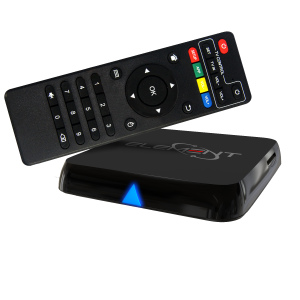
Review: Kodi Element Ti4 Kodi Box
[et_pb_section admin_label=”Section” fullwidth=”on” specialty=”off”][et_pb_fullwidth_menu admin_label=”Fullwidth Menu” menu_id=”2132″ background_color=”#31afe1″ background_layout=”dark” text_orientation=”center” submenu_direction=”downwards” fullwidth_menu=”off” dropdown_menu_animation=”fade”] [/et_pb_fullwidth_menu][/et_pb_section][et_pb_section admin_label=”Section” fullwidth=”on” specialty=”off” transparent_background=”off” allow_player_pause=”off” inner_shadow=”off” parallax=”off” parallax_method=”off” custom_padding=”||0px|” padding_mobile=”off” make_fullwidth=”off” use_custom_width=”off” width_unit=”on” make_equal=”off” use_custom_gutter=”off” gutter_width=”3″][et_pb_fullwidth_post_title admin_label=”Fullwidth Post Title” title=”on” meta=”on” author=”off” date=”on” categories=”on” comments=”off” featured_image=”on”…
WHY TRUST KODI TIPS
Every guide on this site is written and tested on real Firestick, Android TV, and Kodi setups before it’s published, and we revisit our most-read pages regularly to fix broken links, dead addons, and outdated steps. When something stops working, we update the article rather than leaving stale instructions live.